



Update Review - Demon King Patron
10/14/2026 7:04:01 PM
Contents
- I. Monolith Enigma
- II. Season Mission
- III. Mission War
- IV. Map / Monster / NPC Model Renewal
- V. Merit Medal System UI Improvement
- VI. Pet Dispatch Expansion
- VII. Mail UI Renewal
- VIII. Solo Raid
- IX. Absolute Drive
- X. Eternal Chaos Arena Renewal
- XI. Dungeon Improvements & Rebalancing
- XII. Chat Box & Blocking Improvements
- XIII. Notification Window
- XIV. Honor Medal - Elite
- XV. Chaos Upgrade - Ring
- XVI. Karma Runes
- XVII. Battle Mode 3 Auto Combo
- XVIII. Battle Mode 3 Costumes Customization
- XIX. Costume UI Improvements
- XX. Other Changes
I. Monolith Enigma
1. Concept
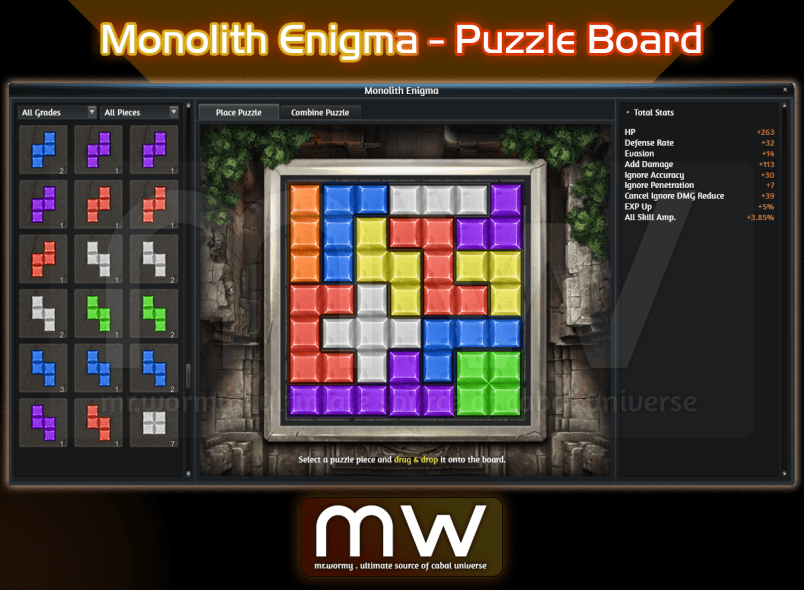
- This content allows you to gain abilities by placing Puzzle Pieces on a Puzzle Board of a specific size.
- The Puzzle Board starts at 3x3 and can be expanded up to 7x7.
- Puzzle pieces have different grades and shapes, and even if they have the same shape and grade, their abilities may differ.
2. Puzzle Board Expansion
- The initial Puzzle Board has only a 3x3 area open, and the remaining cells are locked.
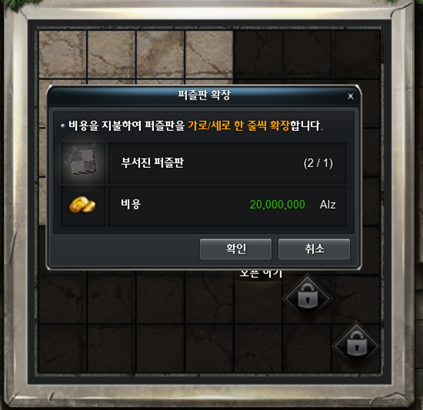
- Clicking the Lock Button opens the UI for expanding the Puzzle Board.
- You can expand the Puzzle Board by consuming the required materials and Alz.
- The materials required to expand the puzzle board are as follows.
|
Puzzle Board Size |
Expansion Costs | |
|---|---|---|
|
From |
To |
|
|
3x3 |
4x4 |
Broken Puzzle Board x1 20,000,000 Alz |
|
4x4 |
5x5 |
Broken Puzzle Board x3 50,000,000 Alz |
|
5x5 |
6x6 |
Broken Puzzle Board x6 100,000,000 Alz |
|
6x6 |
7x7 |
Broken Puzzle Board x10 200,000,000 Alz |
- Each expansion increases the playable area by one row and one column.
- The Broken Puzzle Board can be purchased from NPC Chloe in Port Lux or via Remote Shop.
|
Broken Puzzle Board |
Purchase Price |
|---|---|
|
Upgrade Core (Highest) x40 |
|
|
Force Core (Highest) x30 |
|
|
Chaos Core x20 |
|
|
Divine Stone x10 |
|
|
Stain Clone x1 |
3. Puzzle Pieces
a. Shapes & Grades
- There are 12 shapes of Puzzle Pieces, and each shape consists of Grades1 through 7.
- The type of ability is determined by the shape of the Puzzle Piece, and even Puzzle Pieces of the same shape may have different abilities.
- Puzzle Piece Grades are distinguished by colour, and the higher the grade, the higher the ability.
|
Puzzle Piece V |
Puzzle Piece I |
Puzzle Piece L |
Puzzle Piece J |
Puzzle Piece Z |
Puzzle Piece S |
|---|---|---|---|---|---|
|
|
|
|
|
|
|
|
Puzzle Piece O |
Puzzle Piece T |
Puzzle Piece U |
Puzzle Piece Anomaly T |
Puzzle Piece Anomaly S |
Puzzle Piece X |
|
|
|
|
|
|
|


|
Grade 1 |
Grade 2 |
Grade 3 |
Grade 4 |
Grade 5 |
Grade 6 |
Grade 7 |
|---|---|---|---|---|---|---|
|
|
|
|
|
|
|
|


b. Stats of Puzzle Pieces
|
Puzzle Piece |
Stats |
Stats at Grade | ||||||
|---|---|---|---|---|---|---|---|---|
|
1 |
2 |
3 |
4 |
5 |
6 |
7 |
||
|
V |
Attack Rate |
6 |
12 |
20 |
32 |
44 |
60 |
80 |
|
HP |
12 |
23 |
38 |
60 |
83 |
113 |
150 |
|
|
EXP Up |
1% |
1% |
1% |
2% |
3% |
4% |
5% |
|
|
I |
Defense Rate |
6 |
12 |
20 |
32 |
44 |
60 |
80 |
|
HP |
12 |
23 |
38 |
60 |
83 |
113 |
150 |
|
|
EXP Up |
1% |
1% |
1% |
2% |
3% |
4% |
5% |
|
|
L |
Defense Rate |
10 |
20 |
33 |
52 |
72 |
98 |
130 |
|
Ignore Accuracy |
5 |
9 |
15 |
24 |
33 |
45 |
60 |
|
|
Evasion |
3 |
6 |
10 |
16 |
22 |
30 |
40 |
|
|
J |
Evasion |
6 |
11 |
18 |
28 |
39 |
53 |
70 |
|
Ignore Accuracy |
5 |
9 |
15 |
24 |
33 |
45 |
60 |
|
|
Defense Rate |
8 |
15 |
25 |
40 |
55 |
75 |
100 |
|
|
T |
Attack Rate |
11 |
20 |
33 |
52 |
72 |
98 |
130 |
|
Accuracy |
6 |
11 |
18 |
28 |
39 |
53 |
70 |
|
|
Ignore Evasion |
5 |
9 |
15 |
24 |
33 |
45 |
60 |
|
|
Z |
All Attack Up |
7 |
12 |
20 |
32 |
44 |
60 |
80 |
|
Add DMG |
12 |
23 |
38 |
60 |
83 |
113 |
150 |
|
|
Normal DMG Up |
0.56% |
1.05% |
1.75% |
2.80% |
3.85% |
5.25% |
7.00% |
|
|
S |
Normal DMG Up |
1.12% |
2.10% |
3.50% |
5.60% |
7.70% |
10.50% |
14.00% |
|
Add DMG |
12 |
23 |
38 |
60 |
83 |
113 |
150 |
|
|
All Attack Up |
3 |
6 |
10 |
16 |
22 |
30 |
40 |
|
|
O |
HP |
27 |
51 |
85 |
136 |
187 |
255 |
340 |
|
Defense Rate |
14 |
27 |
45 |
72 |
99 |
135 |
180 |
|
|
Evasion |
7 |
14 |
22 |
36 |
50 |
68 |
90 |
|
|
U |
Defense |
11 |
21 |
35 |
56 |
77 |
105 |
140 |
|
Cancel Ignore DMG Reduce |
6 |
11 |
18 |
28 |
39 |
53 |
70 |
|
|
HP |
20 |
38 |
63 |
100 |
138 |
188 |
250 |
|
|
Anomaly T |
Ignore Resist Crit. DMG |
1.04% |
1.95% |
3.25% |
5.20% |
7.15% |
9.75% |
13.00% |
|
Ignore Resist Skill Amp. |
0.44% |
0.83% |
1.38% |
2.20% |
3.03% |
4.13% |
5.50% |
|
|
Cancel Ignore Penetration |
1 |
3 |
5 |
7 |
10 |
14 |
18 |
|
|
Anomaly S |
Crit. DMG |
1% |
3% |
5% |
7% |
10% |
14% |
18% |
|
All Skill Amp. |
1% |
1% |
2% |
3% |
4% |
5% |
7% |
|
|
Penetration |
2 |
4 |
6 |
10 |
14 |
19 |
25 |
|
|
X |
DMG Reduce |
8 |
15 |
25 |
40 |
55 |
75 |
100 |
|
Defense |
14 |
27 |
45 |
72 |
99 |
135 |
180 |
|
|
Ignore Penetration |
7 |
14 |
22 |
36 |
50 |
68 |
90 |
|
c. Placing the Puzzle Piece
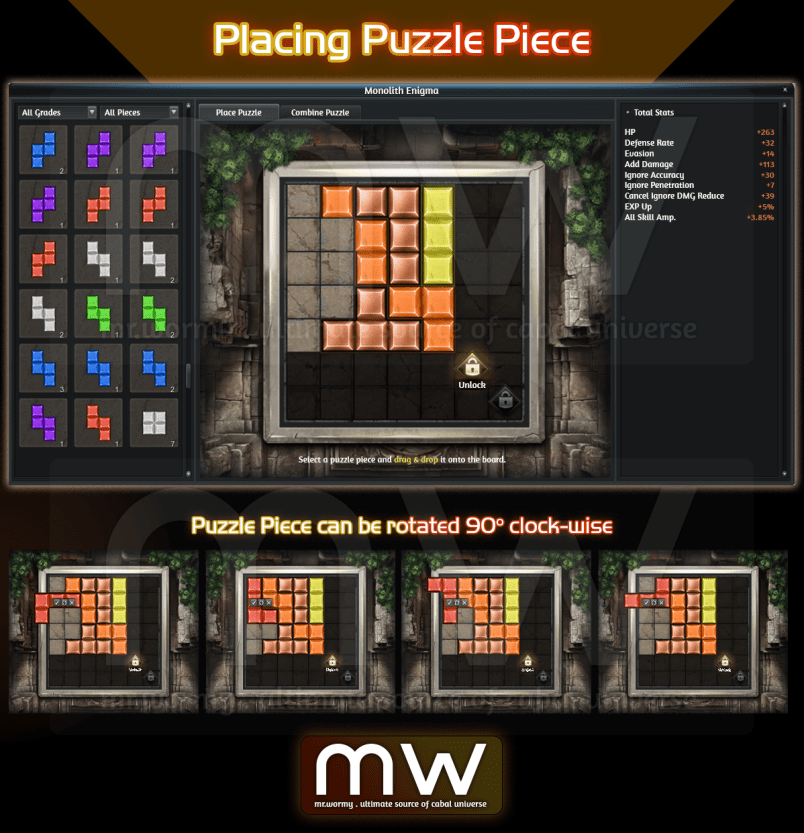
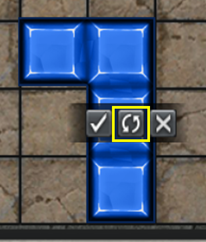
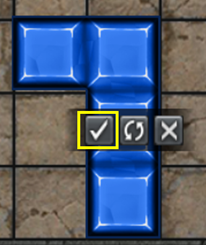
- The Puzzle Piece placed on the Puzzle Board can be rotated, and pressing the rotation button rotates them 90 degrees clockwise.
- Once you have arranged it in the desired location / rotation, you can press the OK button to complete the Puzzle Piece placement.
- Once the puzzle placement is complete, you will acquire the corresponding puzzle's stats.
|
| |
|---|---|
|
Puzzle Piece can be rotated 90 degrees clockwise |
|
|
|
|
|
Rotate Button |
Confirm Placement Button |
d. Source of Puzzle Piece
- Using a Puzzle Cube of a specific grade gives you a chance to obtain one Puzzle Piece.
- Acquired Puzzle Pieces are automatically stored in the Puzzle Piece list of Monolith Enigma.
- Puzzle Cubes drop specific boxes from specific dungeons. Details as below:
|
Dungeon List |
Cube Grade |
Legacy Box |
Legendary Box |
|---|---|---|---|
|
Panic Cave (Awakened) |
Grade 1 |
+ |
|
|
Steamer Crazy (Awakened) |
Grade 1 |
+ |
|
|
Catacombs Frost (Awakened) |
Grade 1 |
+ |
|
|
Lava Hellfire (Awakened) |
Grade 1 |
+ |
|
|
Hazardous Valley (Awakened) |
Grade 1 |
+ |
+ |
|
Forgotten Temple B2F |
Grade 1 |
+ |
+ |
|
Maquinas Outpost |
Grade 1 |
+ |
+ |
|
Pandemonium |
Grade 1 |
+ |
+ |
|
Forbidden Island (Awakened) |
Grade 1 |
+ |
+ |
|
Grade 2 |
+ |
+ |
|
|
Panic Cave (Premium) |
Grade 1 |
+ |
|
|
Grade 2 |
+ |
||
|
Steamer Crazy (Premium) |
Grade 1 |
+ |
|
|
Grade 2 |
+ |
||
|
Catacombs Frost (Premium) |
Grade 1 |
+ |
|
|
Grade 2 |
+ |
||
|
Lava Hellfire (Premium) |
Grade 1 |
+ |
|
|
Grade 2 |
+ |
||
|
Tower of the Dead B3F (Part 2) |
Grade 2 |
+ |
+ |
|
Acheron Arena |
Grade 2 |
+ |
+ |
|
Illusion Castle Underworld (Apocrypha) |
Grade 2 |
+ |
+ |
|
Illusion Castle Radiant Hall (Apocrypha) |
Grade 2 |
+ |
+ |
|
Edge of Phantom |
Grade 2 |
+ |
+ |
|
Tower of the Dead B3F |
Grade 2 |
+ |
+ |
|
Forgotten Temple B2F (Awakened) |
Grade 2 |
+ |
+ |
|
Abandoned City |
Grade 2 |
+ |
+ |
|
Grade 3 |
+ |
+ |
|
|
Flame Nest |
Grade 3 |
+ |
+ |
|
Ancient Tomb |
Grade 3 |
+ |
+ |
|
Frozen Canyon |
Grade 3 |
+ |
+ |
|
Terminus Machina |
Grade 3 |
+ |
+ |
|
Garden of Dust |
Grade 3 |
+ |
+ |
|
Mirage Island |
Grade 3 |
+ |
+ |
|
Forgotten Temple B3F |
Grade 3 |
+ |
+ |
|
Grade 4 |
+ |
+ |
|
|
Mirage Island (Awakened) |
Grade 4 |
+ |
+ |
|
Celestia |
Grade 4 |
+ |
+ |
|
Purifier in the Woods |
Grade 4 |
+ |
+ |
|
Automata Lab SCA-76 |
Grade 4 |
+ |
+ |
|
Tower of the Dead B4F |
Grade 4 |
+ |
+ |
4. Puzzle Synthesis
- Regardless of shape and stats, you can obtain a new puzzle piece by combining 03 Puzzle Pieces of the same grade.
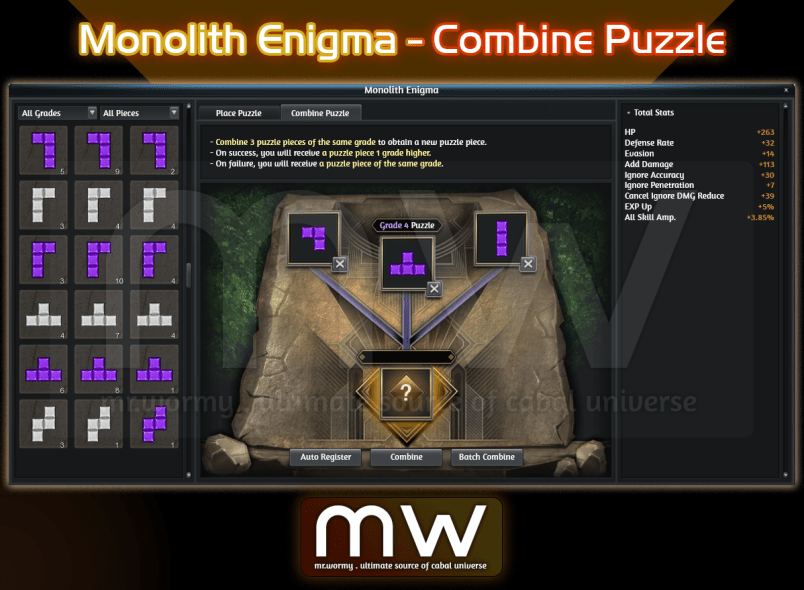
- Drag puzzles to register identical Puzzle Pieces in the three synthesis slots, and press the Synthesisbutton to proceed with puzzle synthesis.
- The success of puzzle synthesis is determined by probability:
- Uponsuccess, you obtain a random Puzzle Piece of one grade higher.
- If puzzle synthesisfails, you obtain a random Puzzle Piece of the same grade.
- The success of puzzle synthesis is determined by probability:
- Click the Auto Registration button to automatically register Puzzle Piecesthat can be synthesized.
- Auto Registration starts with the lowest grade for which synthesis is possible.
- When you press the Batch Synthesis button, a popup UI appears, and if you select the grade to be used for synthesis from the UI, all puzzles of the selected grade that can be synthesized are synthesized at once.
|
Combine Grade |
1 to 2 |
2 to 3 |
3 to 4 |
4 to 5 |
5 to 6 |
6 to 7 |
6 to 7 |
|---|---|---|---|---|---|---|---|
|
Success Rate |
60% |
55% |
45% |
40% |
35% |
30% |
30% |
II. Season Mission
1. Concept
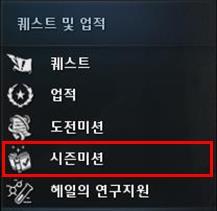
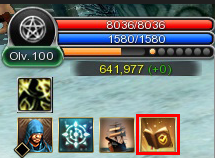
- You can open the Season Mission UI through either:
|
|
|
|---|---|
|
Cabal Menu |
Quick Access button |
- Season MissionOverview
- This is content where you can obtain rewards that help with Cabal gameplay by clearing missions which are organized in Seasons.
- There are mainly 2 types of Seasons:
- Regular Seasons: The seasons that stay for a long time.
- Limited Seasons: The seasons that stay for a short, limited time.
- Contents of the seasons including missions and rewards can be changed time to time to keep it refresh.
2. Types of Seasons
a. Regular Season
- It consists of missions related to the content and systems that can be experienced in game. Missions may be added when new content or systems are added in the future.
- Only Free Rewards are available for Regular Season.
b. Limited Season
- When new content / systems and events are added, this is a season consisting of missions related to them.
- Depends on the Limited Season contents and missions, there might me Eligibility Criteria applied.
- Limited Seasons always come with:
- A fixed duration for participation.
- Free Rewards and Premium Rewards.
3. Season Mission UI
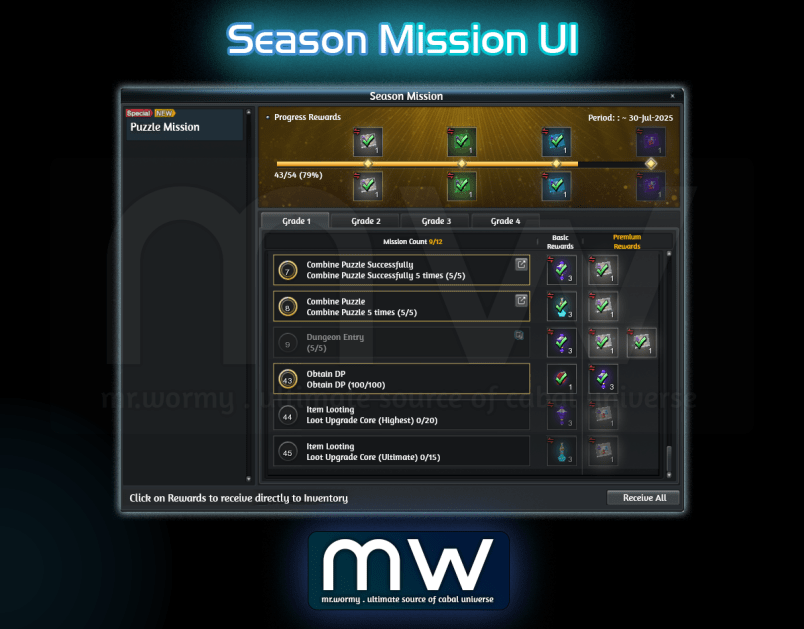
a. Overall Mission Progress
- The available period for missions in the selected season is displayed in the upper right corner.
- The overall progress of the selected season is displayed via a gauge bar and %.
- The progress at the bottom of the gauge bar is displayed in X/Y (Z%) format.
- X: Number of missions completed by the player
- Y: Total number of missions in the selected season
- Z%: Completed percentage
- When your progress reaches or passes a specific milestone, you can obtain progress rewards.
- Milestones: 25%, 50%, 75%, 100%
- The progress reward slots are divided into upper and lower sections based on the gauge bar, with the upper slot consisting of Free Rewards and the lower slot consisting of Premium Rewards.
- Progress Reward Slots are divided into 4 states.
|
|
|
|
|
|---|---|---|---|
|
Default |
Reward is Ready to Collect |
Reward |
Premium Reward Slot, Unable to Collect |


b. Mission List
- This is where the missions included in the selected season are displayed.
- Missions are divided into tabs, and the names of the tabs change depending on the season.
- All missions can be completed simultaneously, and there are no unlock conditions for missions or tabs.
- When you select each tab, the number of missions is displayed in X/Y format at the top left of the mission list.
- X: Number of missions completed in the selected tab
- Y: Total number of missions in the selected tab
- A single mission consists of:
- Mission number
- Mission name
- Mission detailed description
- Mission reward slots
- Free Rewards (always available)
- Premium Rewards (available if Premium ticket is purchased)
c. Reward Slots
- Reward slots may exist for the overall progress or for each mission.
- Reward slots are categorised into “Free” and “Premium” slots.
- If there are obtainable rewards, a red dot is displayed on the [Season List] and [Tab] to notify the player.
- When you click the Receive All button, you can receive all Progress / Mission Rewards available in the selected season at once.
- A notification message regarding the scheduled end of the season will be displayed starting from one week before the end of the season.
d. Season Progression
- The Regular Season runs without an end date.
- When the Limited Season ends, you will have an additional Reward Acquisition Period of one week.
- During the Reward Acquisition Period, missions can no longer be progressed, the mission list is dimmed, and a Reward Acquisition Period notification message is displayed.
- During the Reward Acquisition Period, you can collect rewards for missions already completed / progress rewards and purchase Premium Ticket.
- If you purchase Premium Ticket, you can immediately obtain rewards for completed missions and progress completion rewards.
- However, if there are no rewards to obtain, you cannot purchase Premium Ticket.
- Unclaimed Rewards will be removed when the Reward Acquisition Period ends.
III. Mission War
1. Change of Structure Stats
- Increase stats of objects in Mission War:
- Significantly increase defensive stats of Sage’s Ensigns.
- Significantly increase defensive stats of War Gates.
- Slightly increase defensive stats of Base Gates.
2. Mission War Return Feature
a. Return before Mission War Starts
- Return Button
- A Return button is added to the right of the existing Information window.
- When the mouse cursor is placed over the Return button, a "Return" tooltip is displayed.
- When the Return button is clicked, the return confirmation window is displayed based on whether a valid Previous Channel is available.
- Previous Channel: The channel and location where the character was last present, excluding the Mission War Channel.
- Clicking the [X] button closes the confirmation window and minimizes the Return button.
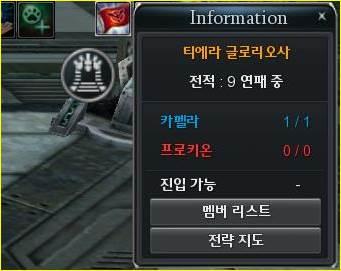
Return Button before Mission War Starts
- Return Confirmation Window
- The confirmation window behaves differently depending on whether a Previous Channel is available.
|
Previous Channel |
Behavior |
|---|---|
|
Unavailable |
The Return button is disabled. The message "Returning from Mission War Lobby." is displayed. |
|
Available |
The Return button is enabled. The message "[Channel #] [Location Name]. Would you like to return to [Location Name]?" is displayed. |
|
|
|
|---|---|
|
Previous Channel - Unavailable |
Previous Channel - Available |
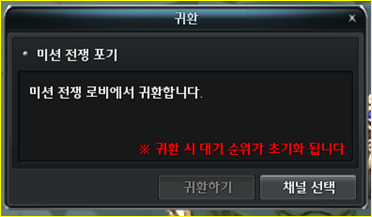
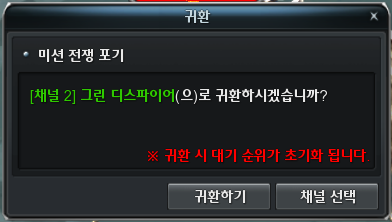
- Channel Selection works the same way in both confirmation windows.
- The player can use Channel Selection to perform the same functions available through the existing Menu [O] → Select Channel feature.
b. Return after Mission War Completion
- System Message
- When the character returns to the Mission War Lobby after the Mission War has ended, the following system message is displayed: "The Mission War has ended. Please proceed with the return procedure."
- Return Button
- The Return button is displayed in the top-right corner of the screen.
- A clockwise visual effect is continuously displayed around the Return button.
- When the mouse cursor is placed over the Return button, a "Return" tooltip is displayed.
- A countdown timer is displayed at the bottom of the Return button.
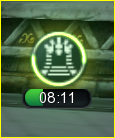
Return Button after Mission War Completion
c. Return Confirmation Window
- The confirmation window behaves differently depending on whether a Previous Channel is available.
|
Previous Channel |
Behavior |
|---|---|
|
Unavailable |
The Return button is disabled. The message "Returning from Mission War Lobby." is displayed. |
|
Available |
The Return button is enabled. The message "[Channel #] [Location Name]. Would you like to return to [Location Name]?" is displayed. |
|
|
|
|---|---|
|
Previous Channel - Unavailable |
Previous Channel - Available |
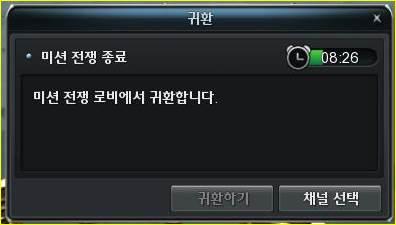
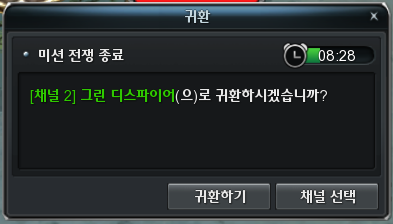
- Channel Selection works the same way in both confirmation windows.
- The player can use Channel Selection to perform the same functions available through the existing Menu [O] → Select Channel feature.
- The timer duration and remaining time displayed in the confirmation window are synchronized with the timer displayed on the Return button.
d. Return Timer
- The Return Timeris displayed in two locations:
- Return Button
- Return Confirmation Window
- The Return button and Return Confirmation Window share the same timer. The remaining time is synchronized between the two displays.
- When the timer reaches zero, the system performs the following action depending on whether a Previous Channel is available:
|
Previous Channel |
Behavior |
|---|---|
|
Unavailable |
The character is automatically moved to the Server Selection screen. |
|
Available |
The character is automatically moved to the channel and location where they were previously present. |
3. Mission War Collection
- Added 03 new Collections related to Mission War - Ingens Proelium:
|
Collection |
Mission |
Material |
Qty |
Reward |
Overall Reward |
|---|---|---|---|---|---|
|
New Winds of Battlefield I |
Utilizing More Powerful Tools I |
Damage Amplifier Lv. 6 |
4,000 |
Force Gem x5 |
All Skill Amp. +1% | +3% | +6% |
|
Damage Amplifier Lv. 7 |
4,000 |
||||
|
Damage Amplifier Lv. 8 |
4,000 |
||||
|
Proof of the Projection I |
Merit Medal Exchange Ticket |
100 |
Force Gem x5 |
||
|
WEXP Saver (500/500) |
50 |
||||
|
Elixir of Honour Medal |
50 |
||||
|
Increasing Merit I |
Merit Medal Evaluation Order |
10 |
Force Gem x5 |
||
|
Merit Medal Evaluation Cancel Order |
20 |
||||
|
Collection of speculation |
Fighter's Soul Stone - Low |
150 |
Force Gem x5 |
||
|
Fighter's Soul Stone - High |
100 |
||||
|
New Winds of Battlefield II |
Utilizing More Powerful Tools II |
Damage Amplifier Lv. 6 |
4,000 |
Force Gem x5 |
Add DMG +30 | +60 | +120 |
|
Damage Amplifier Lv. 7 |
4,000 |
||||
|
Damage Amplifier Lv. 8 |
4,000 |
||||
|
Proof of the Projector II |
Merit Medal Exchange Ticket |
100 |
Force Gem x5 |
||
|
WEXP Saver (500/500) |
50 |
||||
|
Increasing Merit II |
Merit Medal Evaluation Order |
10 |
Force Gem x5 |
||
|
Merit Medal Evaluation Cancel Order |
20 |
||||
|
The constant gaze of the viewer |
Delight of Observer |
600 |
Force Gem x5 |
||
|
Grace of Observer |
600 |
||||
|
Holy of Observer |
400 |
||||
|
New Winds of Battlefield III |
Utilizing More Powerful Tools III |
Damage Amplifier Lv. 6 |
4,000 |
Force Gem x5 |
DMG Reduce +15 | +30 | +60 |
|
Damage Amplifier Lv. 7 |
4,000 |
||||
|
Damage Amplifier Lv. 8 |
4,000 |
||||
|
Proof of the Projector III |
Merit Medal Exchange Ticket |
100 |
Force Gem x5 |
||
|
WEXP Saver (500/500) |
50 |
||||
|
Increasing Merit III |
Merit Medal Evaluation Order |
10 |
Force Gem x5 |
||
|
Merit Medal Evaluation Cancel Order |
20 |
||||
|
Destruction of the Temple of Continuous Purification |
Crystal of Temple - Low |
600 |
Force Gem x5 |
||
|
Crystal of Temple - Medium |
600 |
||||
|
Crystal of Temple - High |
400 |
4. Expansion of Mission War Reward Range
a. Regarding AP rewards
- Changes to the Mission War AP Reward Table: Applicable for all types of Mission War fields.
|
Score Range |
AP Acquired | |
|---|---|---|
|
0 |
149 |
0 |
|
150 |
249 |
1 |
|
250 |
349 |
1 |
|
350 |
449 |
1 |
|
450 |
549 |
2 |
|
550 |
649 |
2 |
|
650 |
749 |
2 |
|
750 |
849 |
3 |
|
850 |
949 |
3 |
|
950 |
1049 |
3 |
|
1050 |
1149 |
4 |
|
1150 |
1249 |
4 |
|
1250 |
1349 |
4 |
|
1350 |
1449 |
5 |
|
1450 |
1549 |
6 |
|
1550 |
1649 |
10 |
|
1650 |
1749 |
14 |
|
1750 |
1849 |
19 |
|
1850 |
1949 |
23 |
|
1950 |
2049 |
27 |
|
2050 |
2149 |
32 |
|
2150 |
2249 |
77 |
|
2250 |
2349 |
81 |
|
2350 |
2449 |
85 |
|
2450 |
2549 |
90 |
|
2550 |
2649 |
94 |
|
2650 |
2749 |
98 |
|
2750 |
2849 |
103 |
|
2850 |
2949 |
107 |
|
2950 |
3049 |
112 |
|
3050 |
3149 |
116 |
|
3150 |
3249 |
161 |
|
3250 |
3349 |
165 |
|
3350 |
3449 |
170 |
|
3450 |
3549 |
174 |
|
3550 |
3649 |
178 |
|
3650 |
3749 |
183 |
|
3750 |
3849 |
187 |
|
3850 |
3949 |
191 |
|
3950 |
4049 |
196 |
|
4050 |
+ |
200 |
b. Merit Medal Reward Expansion
- Update the table of Merit Medal rewards based on score: Applicable for all types of Mission War fields.
|
Score Range |
AP Acquired | |
|---|---|---|
|
0 |
99 |
0 |
|
100 |
249 |
1 |
|
250 |
399 |
2 |
|
400 |
549 |
3 |
|
550 |
699 |
4 |
|
700 |
999 |
5 |
|
1,000 |
1,999 |
6 |
|
2,000 |
2,999 |
7 |
|
3,000 |
3,999 |
8 |
|
4,000 |
4,999 |
9 |
|
5,000 |
+ |
10 |
c. Honor Medal Reward Expansion
- Update the table of Honor Medal rewards based on score: Applicable for all types of Mission War fields.
|
Score Range |
AP Acquired | |
|---|---|---|
|
0 |
299 |
0 |
|
300 |
399 |
10 |
|
400 |
499 |
15 |
|
500 |
599 |
20 |
|
600 |
749 |
25 |
|
750 |
899 |
30 |
|
900 |
1,099 |
35 |
|
1,100 |
1,499 |
40 |
|
1,500 |
1,999 |
45 |
|
2,000 |
2,999 |
50 |
|
3,000 |
3,999 |
55 |
|
5,000 |
9,999 |
60 |
|
10,000 |
14,999 |
70 |
|
15,000 |
+ |
80 |
IV. Map / Monster / NPC Model Renewal
1. Map Model Renewal
a. Target Maps
- Bloody Ice
- Desert Scream
- Green Despair
b. Target Scope
- It applies only to village areas, and field areas have not been changed.
- Except for Bloody Ice, the border of the village area also get some renewal.
|
|
|
|---|---|
|
Bloody Ice - Inside the village |
Bloody Ice - Border of the village |
|
|
|
|
Desert Scream |
Green Despair |
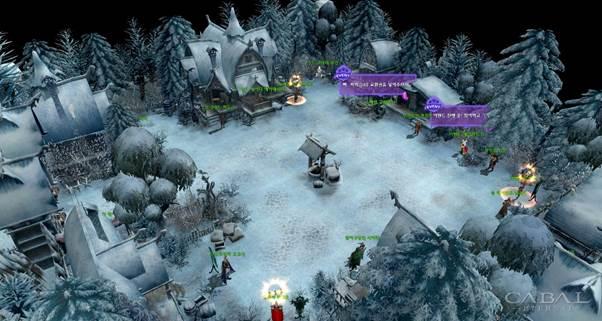

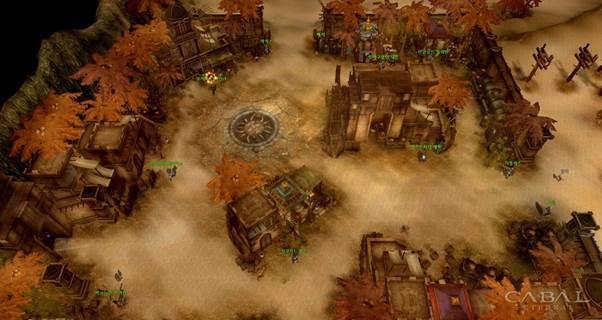
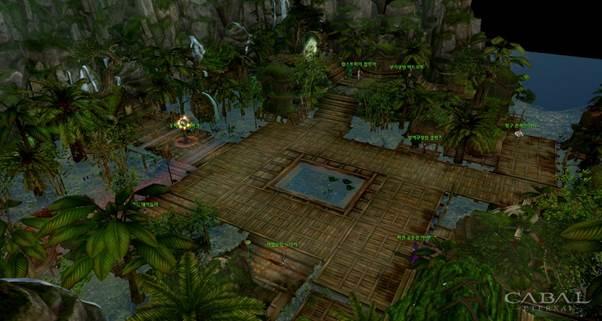
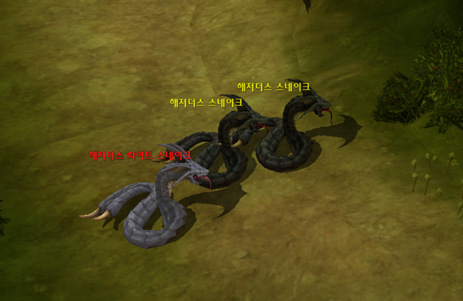
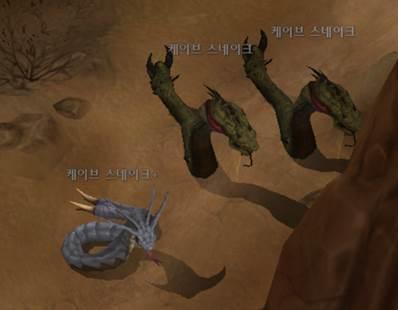
2. Monster Model Renewal
a. Map Monsters
|
Bloody Ice |
Desert Scream |
Green Despair |
|---|---|---|
|
Nipperlug Nippertrica Rabbithorn Cold Triple Scorp Lug Alphabisco Lynxhorn Devil Lynxhorn Zombie Maiden Zombie Lynxhorn Zombie Kalith Lynxhorn Zombie Leader Skeleton Skeleton Warrior Skeleton Mage Babayaga Babimadon Hound Zombie Mega Hound Pantherhorn Zombie Ape Ape Zombie Etoku Ghost Pelcost Shade |
Garlie Garlelia Giant Beetle Teer Triple Red Garlie Garlie Captain Licoreking Desert Fox Major Fox Desert Hound Giant Snake Black Snake Huge Beetle Armaku Bugmander Bugreil Mummy Mummy Blader Mummy Warrior Archionis Archyterix Comoarchite Clay Gargoyle Antralug Entros Lug Queen |
Mantis Momento Troglo Treiple Troglo Fighter Poki Triple Elder Troglo Troglo Warrior Trogolo King Dire Boar Plant Toad Golden Toad Bugzard Pantherhorn Plant Pantherhorn Giant Spider Huge Spider Spamaton Moscutter Bitterleaf Moscyther Wriggleleaf Moscutter Queen |
b. Other Monsters
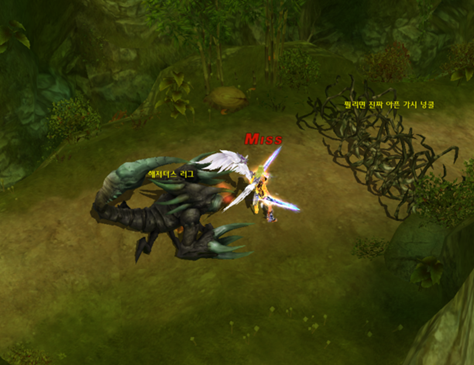
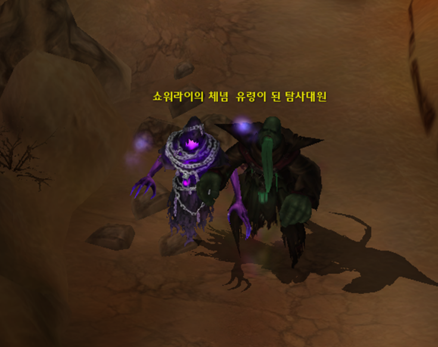
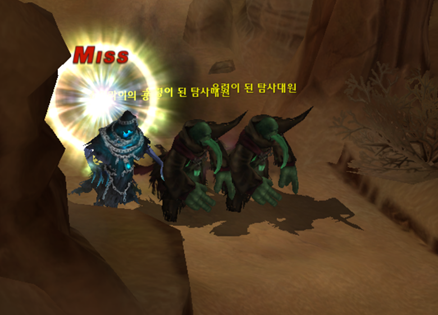
- Beside the monsters in those maps above, monsters in Quest Dungeons and Normal Dungeons that have the same appearance have also been changed.
- Additionally, some monsters in dungeons also get model updated:
|
|
|
|
|---|---|---|
|
Hazardous Valley Hazardous White Snake |
Panic Cave Cave Snake+ |
Hazardous Valley Hazardous Lug Hazardous Valley (Awakened) Hazardous Lug |
|
|
|
|
|
Panic Cave (Awakened) Showerai’s Resignation |
Panic Cave (Awakened) Showerai’s Terror |
c. Transformation Cards
- Transformation feature that gives player ability to transform into monsters, all of Transformation monsters that came from Bloody Ice, Desert Scream, Green Despair.
- Transformation Icon is also changed accordingly to the new monsters' model.
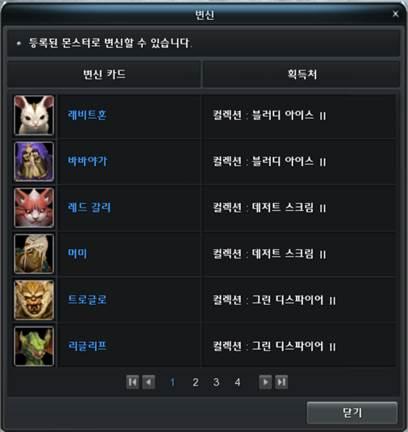
Transformation UI with new icons of Transformation monsters
3. NPC Model Renewal
a. Map NPCs
- NPCs in village area of Bloody Ice
- Exceptions: Guard Ancient Ghost, Special Exchange Machine, Agent Yul
- NPCs in village area of Desert Scream
- Exceptions: Dispatch Officer
- NPCs in village area of Green Despair
- Exceptions: Dispatch Officer
- NPCs in village area of Port Lux
- Exceptions: Chloe
- NPCs in village area of Fort Ruina
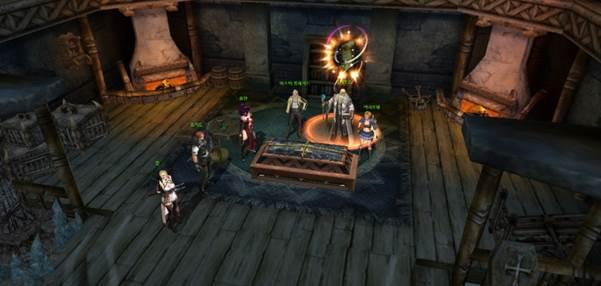
b. Quest NPCs
- NPCs in Scenario Quests from Lv. 1 - 100
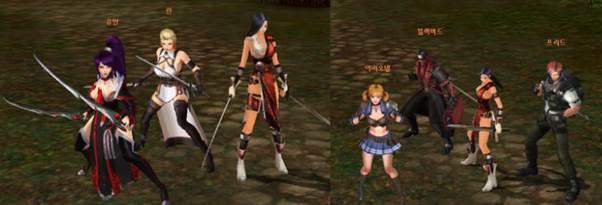
c. Mercenaries
- Mercenary that shared the appearance of NPCs
- Yuan, Rin, Arionel, Freed, Blackbard
V. Merit Medal System UI Improvement
1. Quick Warp to Dispatch Officer
- Allow quick warping to Dispatch Officer of the character's nation.
- Mechanism:
- Right click on the Merit Medal Exchange Ticket.
- A confirmation message will be shown.
- Player confirms to get warped automatically.
- Clicking Yes will warp the character to the dispatched Merit Officer corresponding to character's nation.
- If there is no nation, a system message is displayed, and the warp function cannot be used.
|
|
|
|
|---|---|---|
|
Capella |
Procyon |
Non-Nation |
|
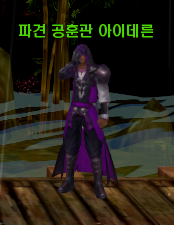
Automatically warp to NPC Dispatched Officer Ahyidereun in Green Despair |
Automatically warp to NPC Dispatched Officer Rasya in Desert Scream |
Showing Error Message Cannot warp because character doesn't have a nation |


2. Merit Medal Integrated UI Renewal
a. Concept
- Access:
- Via menu item in Cabal Menu > Merit Medal
- Quick Access with shortcut: Alt + T
- New integrated UI for Merit Medal that supports
- Evaluation
- Report
- Convert with
- Merit Medal evaluation order
- Merit Medal evaluation cancel order
b. Evaluation tab
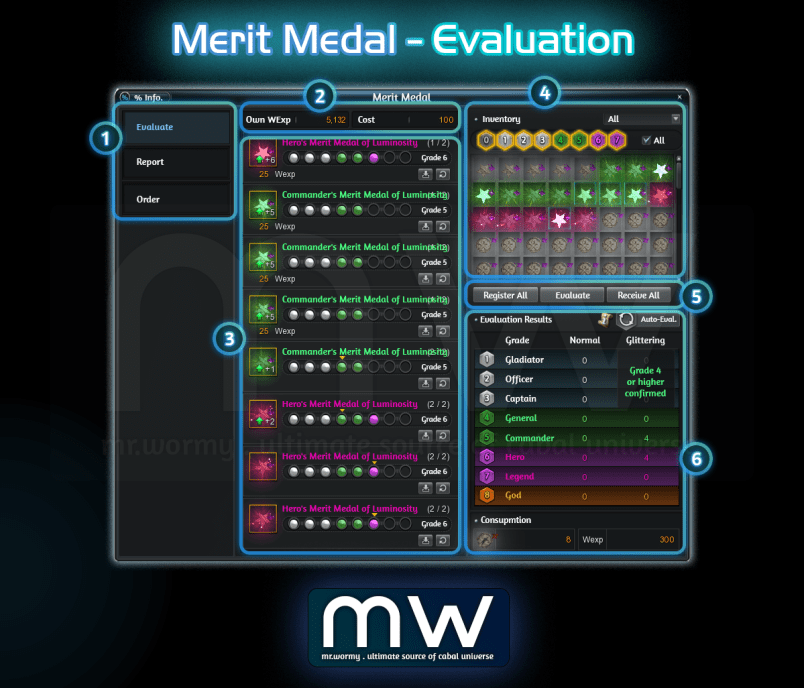
- Evaluation UI:
- [1] Tab Selection, “Evaluate” is selected
- [2] Current amount of WExp and Cost for the Evaluation
- [3] List of registered Merit Medal for Evaluation
- [4] List of available Merit Medal in Inventory, allow filtering
- Able to select from the list or manually selected desired grades
- Cannot select Grade 8 (as it is already MAXed)
- [5] Buttons for Register All / Evaluate / Receive All
- [6] Evaluation Results
- Automated Evaluation UI: [1] Automated Evaluation Option UI is shown of Button [3] is clicked, allow configuration of:
- Max grade of Merit Medal to keep re-evaluating
- Glittering Merit Medal: 0 / 4 / 5 / 6 / 7
- Merit Medal: 0 / 1 / 2 / 3 / 4 / 5 / 6 / 7
- Limit the number of Merit Medal to keep re-evaluating
- Button to [Start] or [Cancel]
- [Start] will start the process, main Evaluation UI will be displayed like in [2] and button will be marked with different color like [3]
- [Cancel] will close the UI
- Max grade of Merit Medal to keep re-evaluating
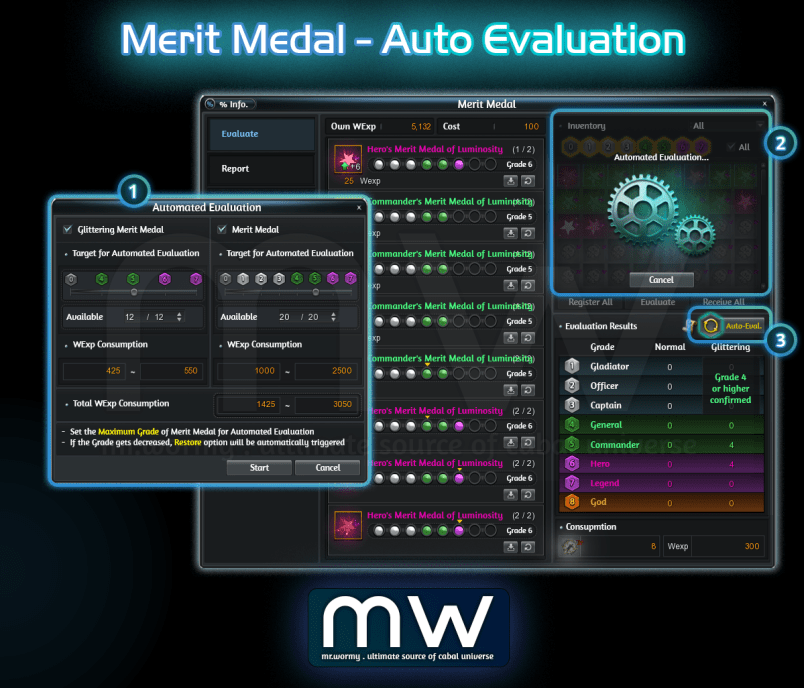
- Automated Evaluation concept:
- Once started, the Evaluation will keep running for all based on selection
- Type of Medal is selected: Merit Medal and / or Glittering Merit Medal
- The medal still have evaluation count: If the evaluation count is not available, even the Grade is lower than selected Grade, that medal will still be excluded
- The medal is with Grade lower or equals to the selected Grade: Medal with higher grade than selected grade will be excluded
- Character still has enough WExp to perform the Evaluation
- Cannot switch to other tab Report / Order while under the Automated Evaluation
- Once started, the Evaluation will keep running for all based on selection
c. Report tab
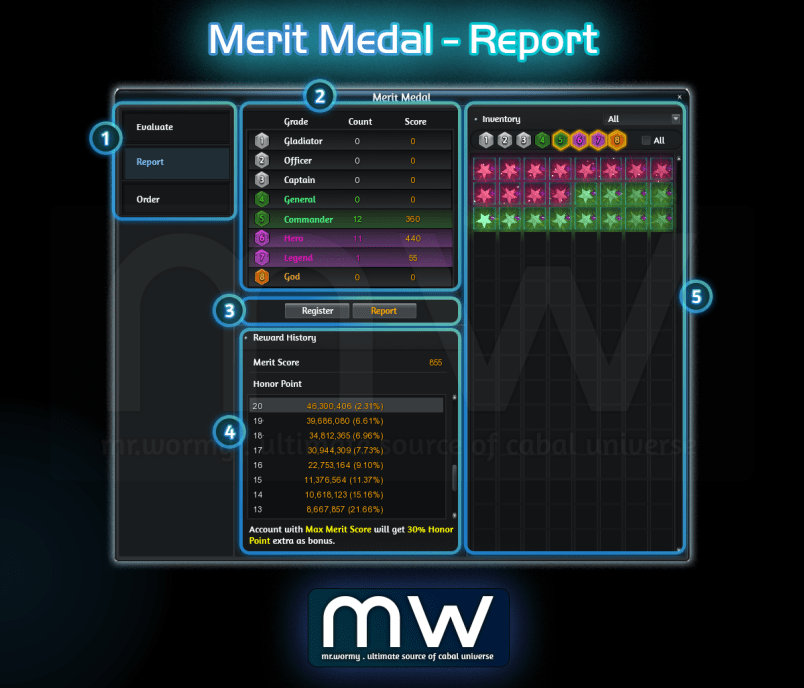
- [1] Tab Selection, “Report” is selected
- [2] List of available Merit Medals ready to get reported
- Breakdown by Grade, with Count and Score
- [3] Button to Register and Report
- [4] History of Rewards from Report
- [5] List of Merit Medals which can be reported in Inventory
- Register in Batch up to 640 Merit Medals at once.
d. Order tab - Use of Merit Medal evaluation order
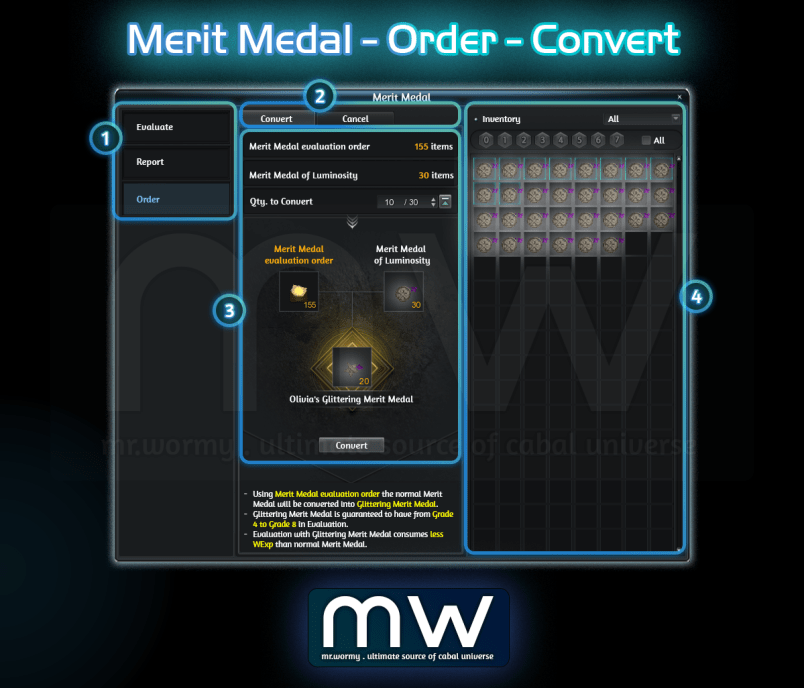
- [1] Tab Selection, “Order” is selected
- [2] Able to switch between batch use of:
- Convert: For using “Merit Medal evaluation order”
- Cancel: For using “Merit Medal evaluation cancel order”
- [3] Listing all of
- Available amount of “Merit Medal evaluation order”
- Available amount of normal Merit Medal, depends on Nation:
- Capella: Merit Medal of Luminosity
- Procyon: Merit Medal of Storm
- [4] Preview of Result & “Convert” button to perform
- [5] Available Merit Medal that can be converted are showing in the right side
e. Order tab - Use of Merit Medal evaluation cancel order
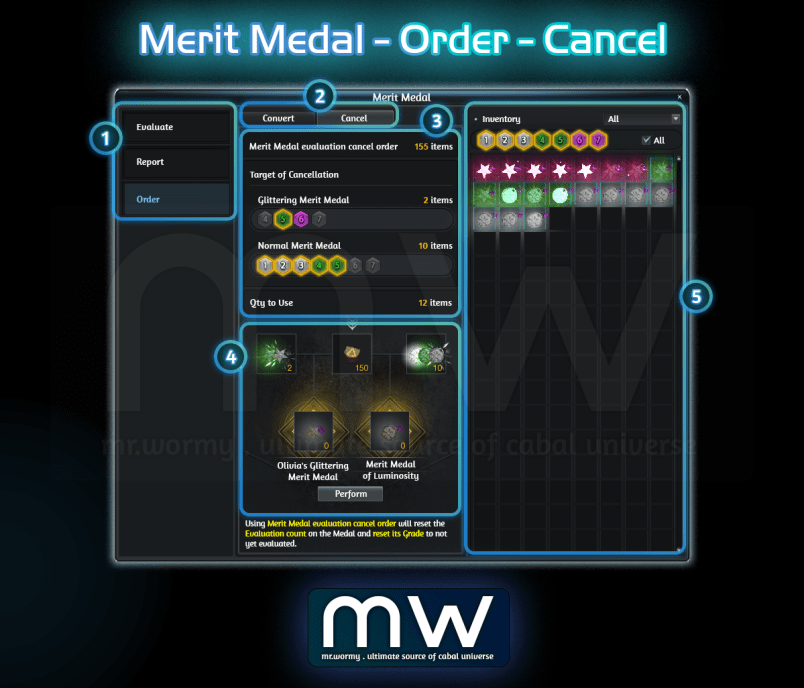
- [1] Tab Selection, “Order” is selected
- [2] Able to switch between batch use of:
- Convert: For using “Merit Medal evaluation order”
- Cancel: For using “Merit Medal evaluation cancel order”
- [3] Listing all of
- Available amount of “Merit Medal evaluation cancel order”
- Available amount of Glittering Merit Medal and Normal Merit Medal, depends on Nation, allow selecting the target of Grade for cancellation
- [4] Preview of Result & “Perform” button to perform
- [5] Available Merit Medal that can be cancelled are showing in the right side
VI. Pet Dispatch Expansion
1. Additional Research for Research Lab
a. Increase maximum level of Affinity research
- The maximum level of Affinity is expanded from 20 to 30.
- When using the buff, the types of resources required remain the same as before (still Yellow Crystal / Red Crystal), only the cost has increased.
b. Increase maximum level of Helping Hand research
- The maximum level of Helping Hand is expanded from 5 to 6.
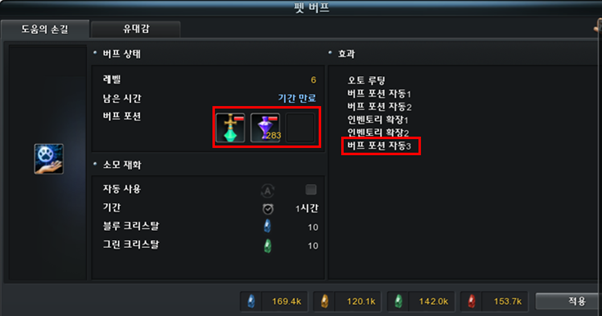
- Level 6 Effect: Unlocks 01 Auto Buff Potion Slot (Total of 3 usable)
- When using the buff, the types of resources required remain the same as before, only the cost has increased to 10 Blue Crystals / 10 Green Crystals.
c. Added new levels of research for Affinity
- Research is added to enhance the abilities added as the Affinity level expands.
d. Increase maximum level of research for unlocking Regular, Weekly, and Alz items
- The maximum level for Regular Item unlock research has increased from 8 to 10.
- The maximum level for Weekly Item unlock Research has increased from 11 to 13.
- The maximum level for Alz Item unlock research has increased from 9 to 10.
2. Addition of Items in Dispatch Exchange
- Products have been added by exchange category.
- Regular Exchange Item:
|
Product Name |
Qty |
Material 1 |
Material 2 |
Unlock Conditions | ||
|---|---|---|---|---|---|---|
|
Fist King Lulu |
1 |
Resonance Crystal |
8000 |
Light of Creation |
3000 |
Unlock Regular Exchange Item Lv. 9 |
|
Pirate Cherry |
1 |
Resonance Crystal |
8000 |
Eye of Truth |
3000 |
Unlock Regular Exchange Item Lv. 9 |
|
Transformation Kit |
1 |
Flower of Immortality |
3000 |
Stone of Life |
3000 |
Unlock Regular Exchange Item Lv. 10 |
- Weekly Exchange Item:
|
Product Name |
Qty |
Material 1 |
Material 2 |
Unlock Conditions | ||
|---|---|---|---|---|---|---|
|
Point Sand (60,000) |
3 |
Blue Crystal |
1600 |
Green Crystal |
800 |
Unlock Weekly Exchange Item Lv. 12 |
|
Point Sand (60,000) |
3 |
Yellow Crystal |
1600 |
Green Crystal |
800 |
Unlock Weekly Exchange Item Lv. 12 |
|
Dispatch Elixir (5,000) |
5 |
Red Crystal |
1000 |
Resonance Crystal |
500 |
Unlock Weekly Exchange Item Lv. 13 |
|
Dispatch Elixir (5,000) |
5 |
Red Crystal |
1000 |
Resonance Crystal |
500 |
Unlock Weekly Exchange Item Lv. 13 |
- Alz Exchange Item:
|
Product Name |
Qty |
Material |
Unlock Conditions |
|---|---|---|---|
|
Soul Crystal Coupon x500 |
10 |
30,000,000 Alz |
Unlock Alz Exchange Item Lv. 10 |
3. Improvements to Helping Hand Buff
- 01 Auto Buff Potion Slot has been added.
- Added the ability to register Fried Egg with Ketchup / Sunny Side up Fried Egg.
VII. Mail UI Renewal
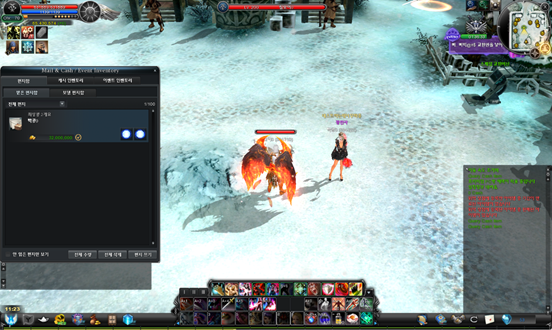
1. Mail / Cash Inventory / Event Inventory UI relocated:
- Old: Centre-Middle of the screen
- New: Left-Middle of the screen (this will avoid blocking Inventory UI)
2. Change design of Mail UI:
a. General Design
- Change colour of Character Name (Sender / Receiver) based on category:
- Buddy[ BLUE ]
- Guild Member[ GREEN ]
- Buddy & Guild Member [ ORANGE ]
- GM[ RED ]
- Others[ WHITE ]
- Filter:
- All Mails
- Regular Mails
- Attached Mails
- Change that allow quick checkingAttached Items & Attached Alz from Mail list.
- Add new Receive button showing when mouse is over a mail with attachments, allow receiving Attached Items and Alz instantly of that particular mail.
- Add a button for Receive All:
- To receive all Attached Items and Attached Alz from all mails.
- Clicking on Receive or Receive All buttons will trigger a confirmation box, if the receiving items are with duration, additional information will also be added in the confirmation box.
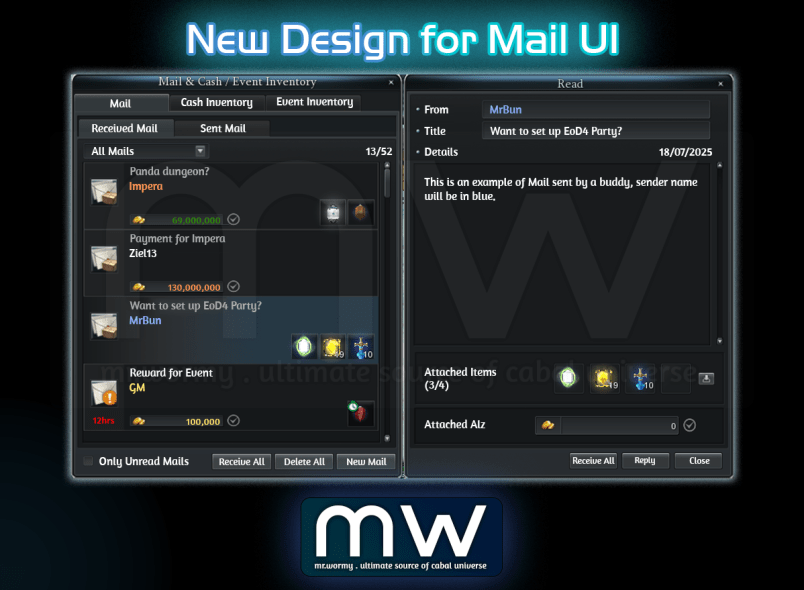
b. Read Mail content:
- Click on the Mail on the left side to see the content on the right side.
- Allow receiving all Attached Items and Attached Alz of the viewing Mail using Receive All button.
- If a Mail got attachment (Alz / Items), after the Alz / Items are received, the contents will still show but with checkmark.
|
Alz attached, but not yet received Text is clear Checkmark is gray |
|
|---|---|
|
Alz attached, already received Text is faded Checkmark is GREEN |
|
|
Items attached, already received Item colour is faded Checkmark is GREEN |
|



c. Write New Mail:
- Allow attaching up to 04 itemsper Mail.
- To attach items, player can drag-and-drop or holding Ctrl to register items for attachment directly from the Inventory.
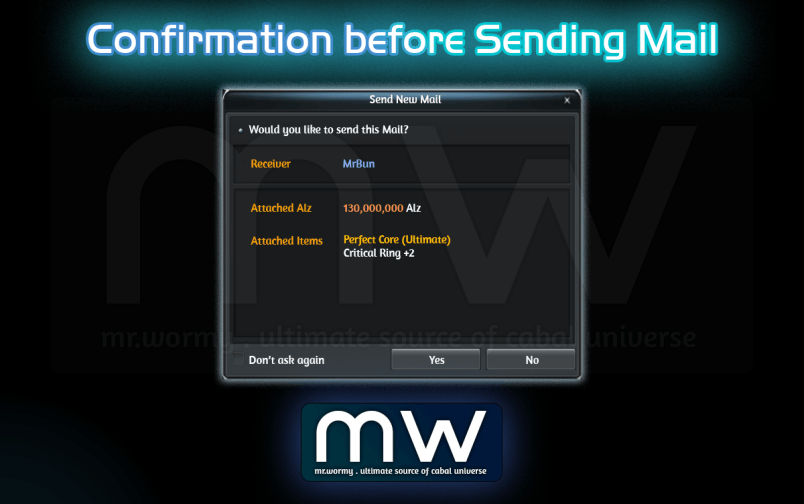
- Confirmation window before sending:
- Showing Receiver Name in specific colour.
- Showing Attached Alz amount in specific colour based on the amount.
- Showing the Attached Items, if items have specific colour for naming, the corresponding colour will also be shown here.
VIII. Solo Raid
1. Concept
- Solo Raid content is available after completing the activation quest called Side Story: Twisted Fate.
- Solo Raid dungeons consist of a total of 3 difficulty levels.
- Character must clear the dungeon of the previous difficulty level to enter the next difficulty level dungeon.
- Solo Raid dungeons do not require an entry ticket and have no limit on the number of entries.
- Item Rewards can only be obtained twice a week and are reset every Wednesday.
- This dungeon features video events during gameplay. Player can skip the videos by pressing ESC.
2. Solo Raid Dungeon "Paradox Story: Demon King Patren"
a. Turner's Corridor
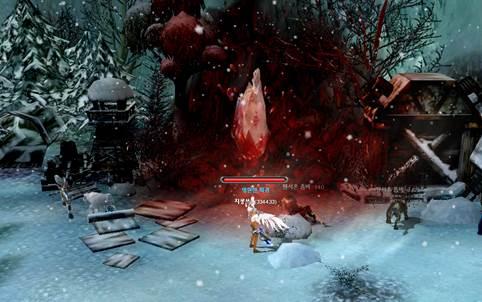
- New area, accessible from Bloody Ice, clicking on the Red Crystal will teleport character to Turner's Corridor.
|
|
|
|---|---|
|
Red Crystal in Bloody Ice |
Turner's Corridor |
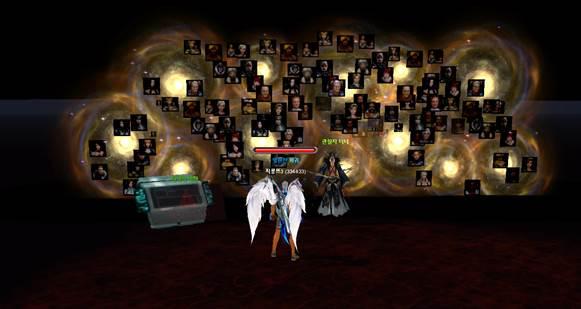
- If character has completed the quest Side Story: Twisted Fate, clicking at Turner's Vision will open the Solo Raid Entry UI.
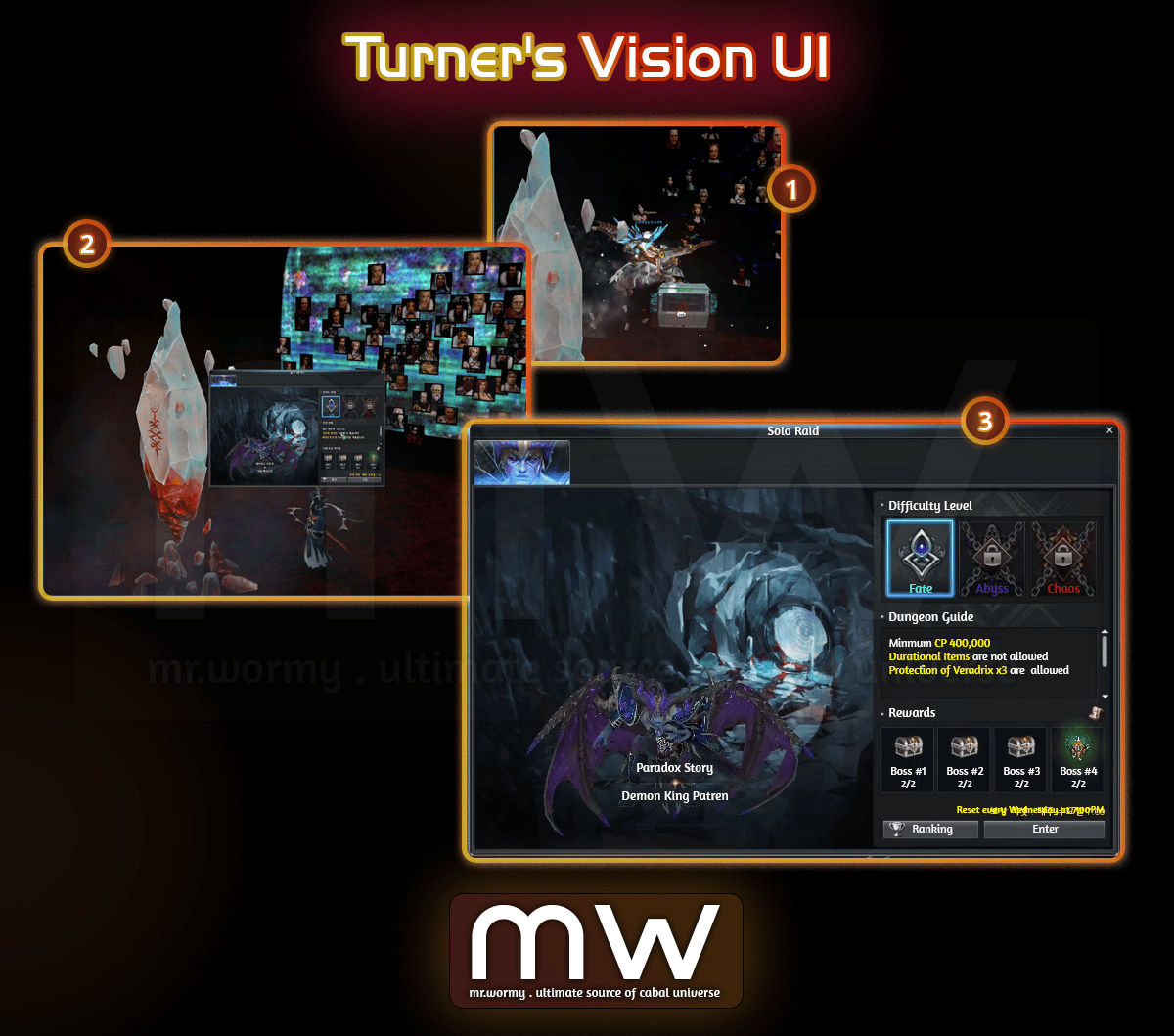
Solo Raid Entry UI
b. Dungeon Information
|
Required Level |
Lv.200+ & BSLV.11+ |
|---|---|
|
Duration |
40 minutes |
|
Difficulty |
Destiny |
|
Abyss |
|
|
Chaos |
|
|
Entry Location |
|
|
Entry Item |
Not Applicable |
|
DP Reward |
Not Applicable |
|
Myth EXP |
Available |
|
Maximum Participation |
1 |
|
Daily Entry Limit |
No Limit |
|
Daily Playtime |
No Limit |
|
Reward Receiving Limit |
2 per week, reset on Wednesday |
|
Other Restrictions |
Cannot summon Mercenaries |
|
Maximum usable limit of Protection of Veradrix: 3 |
|
|
Cannot resurrect using Odd Circle / Force Gem |
|
|
Cannot re-enter dungeon |
|
|
Cannot use Durational Items (except Agent Yul's accessories) |
|
|
Cannot use Core Break skill |
c. Dungeon Interior & Monsters
|
|
|
|---|---|
|
|
|
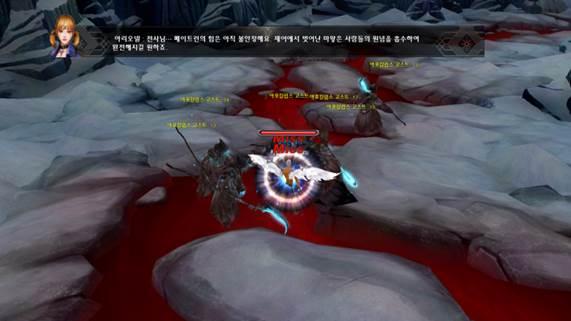
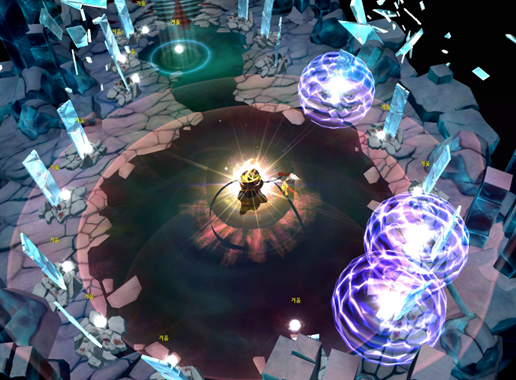
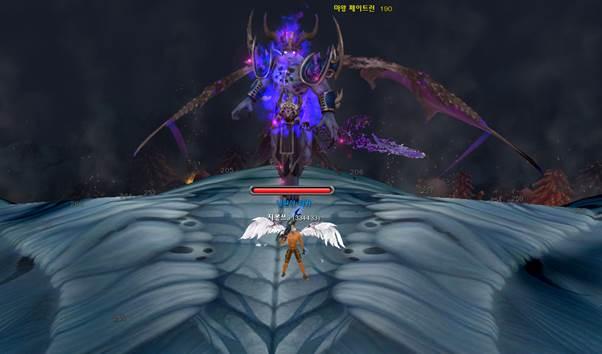
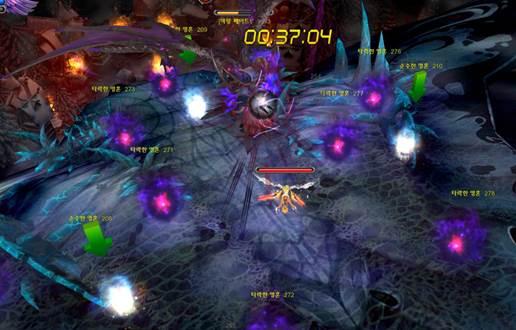
3. Solo Raid - Selective Instruction Mode
a. Selective Intrusion Mode
- Selective Intrusion Guide
- Clicking the Selective Intrusion button at the bottom of the UI displays a guide message explaining the Selective Intrusion mode.
- The guide message is displayed each time you enter Selective Intrusion mode.
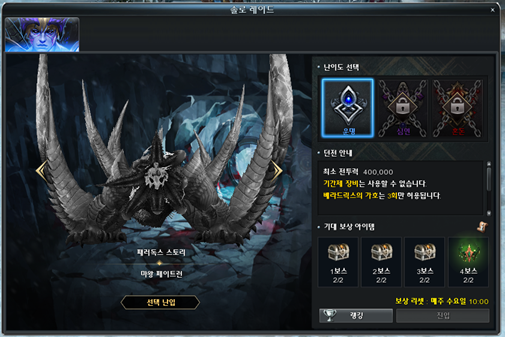
- Unavailable Bosses
- Bosses that cannot be selected are displayed in gray.
- The corresponding dungeon entry button is disabled.
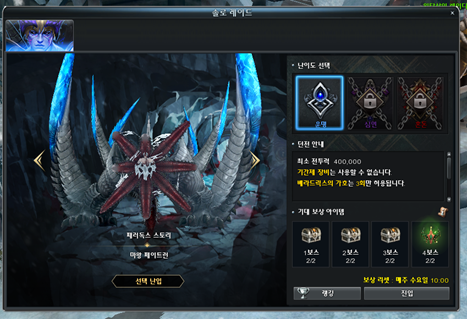
- Available Bosses
- Bosses that can be selected are displayed in their normal color.
- Selecting a Boss
- Use the arrow buttons to select the desired boss.
- Press Enter to start the dungeon from the point where the selected boss is encountered.
b. Exit Selective Intrusion Mode
- Selective Intrusion Button
- Clicking the [Selective Intrusion] button again while in Selective Intrusion mode exits the mode.
- Exit Solo Raid Entry UI
- Selective Intrusion mode ends when you exit the Solo Raid Entry UI.
- Change Difficulty
- Changing the dungeon difficulty while in Selective Intrusion mode automatically exits the mode.
IX. Absolute Drive
1. Concept
- New unique materials are available from Solo Raid - Demon King Patren.
- New materials can be used for enhancing the effects of Transcendence Attack Skills during combo.
- Character must equip Absolute Binder for eachavailable Skill.
- Each battle style has a list of 03 fixed Transcendence Attack Skills.
- The additional effects are applied only if the corresponding skillis casted in Combo.
- Source of new items:
- Last Boss: Absolute Binder
- Boss 1 ~ 3: Sealed Soul Shard.
- Use the Sealed Soul Shard will grant a random stat and make the Unsealed Soul Shard (or in short: Soul Shard) turns into Cannot Transfer between Accounts.
- Polish an Unsealed Soul Shard will increase the granted stats.
- Equip Unsealed Soul Shards to an Absolute Binder to gain stats for the linked skill.
- Binding Status:
- Absolute Binder: Cannot Transfer between Accounts
- Sealed Sout Shard: Trade-able
- Unsealed Soul Shard & polished Unsealed Soul Shard: Cannot Transfer between Accounts
2. Absolute Drive UI
a. Activation & Access
- Once the character completed the activation quest: Side Story: Twisted Fate, Absolute Drive will be activated.
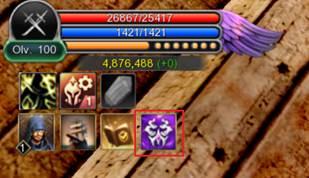
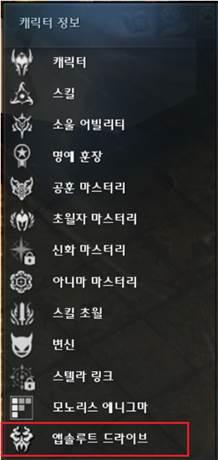
- Absolute Drive UI can be accessed via:
|
|
|
|---|---|
|
New Icon under the HP Gauge Area |
Cabal Menu |
b. Absolute Drive UI
- Remarks: Remember that the additional stats of this system will be applied ONLY if the skill is used in Combo Mode.
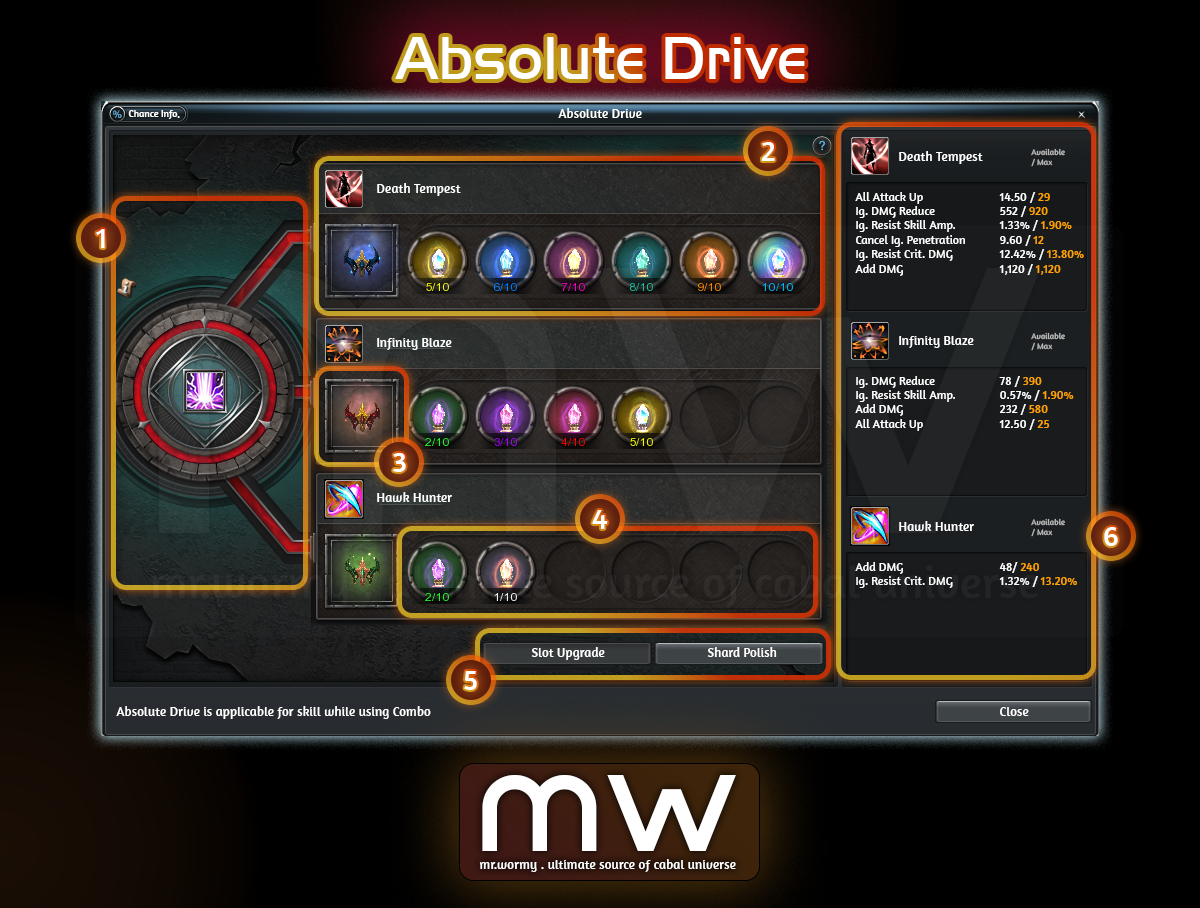
Absolute Drive UI
- [1] If all slots of Absolute Binder are equipped, the Core Break skill is active
- [2] 3 rows for 3 different fixed Transcender Attack Skills, based on Battle Style of the character.
|
Battle Style |
Transcendence Attack Skill |
Battle Style |
Transcendence Attack Skill |
Battle Style |
Transcendence Attack Skill |
|---|---|---|---|---|---|
|
Warrior |
Sword Quake |
Force Archer |
Sonic Shooter |
Gladiator |
Crimson Blade |
|
Apocalypse Decision |
Arrow Barrage |
Illusion Blade |
|||
|
Overwhelming |
Arrow Forest |
Chakram Slam |
|||
|
Blader |
Death Tempest |
Force Shielder |
Shield Grenade |
Force Gunner |
Revenger |
|
Infinity Blaze |
Hell Crasher |
Mechanic Crop |
|||
|
Hawk Hunter |
Shield Taunt |
Storm Blitz |
|||
|
Wizard |
Meteorite |
Force Blader |
Seal of Damnation |
Dark Mage |
Vanquish of Evil |
|
Glacial Trap |
Quake Caracretics |
Corps Explosion |
|||
|
Multiple Canon |
Lightning Revenge |
Hell's Requiem |
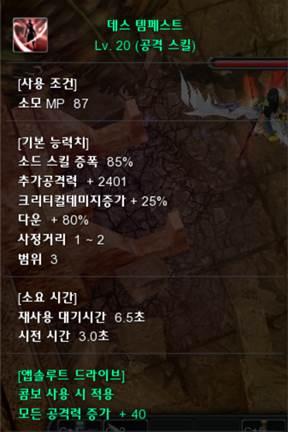
Stats from Absolute Drive is displayed at the end of Skill Tooltip
- [3] Slot for equipping Absolute Binder
- Player can obtain Absolute Binder with 100% chance by defeating the last Boss of Solo Raid - Paradox Story: Demon King Patren.
- Depending on the difficulty of the Solo Raid, different types of Absolute Binder could be obtained.
- Depending on the equipped grade of Absolute Binder, different numbers of Soul Shard slots will be activated.
|
|
Difficulty Name |
Difficulty Estimation |
Absolute Binder |
Soul Shard Slots |
|---|---|---|---|---|
|
Destiny |
Easy |
Absolute Binder (Low) |
2 slots |
|
|
Abyss |
Normal |
Absolute Binder (Medium) |
4 slots |
|
|
Chaos |
Hard |
Absolute Binder (High) |
6 slots |
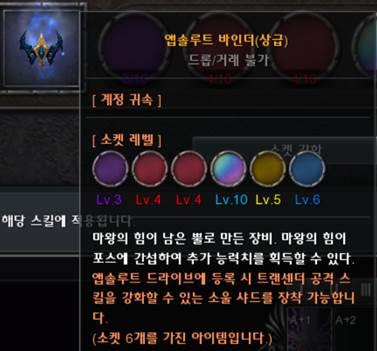
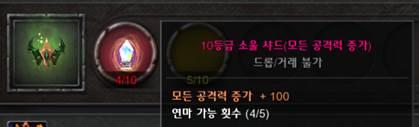
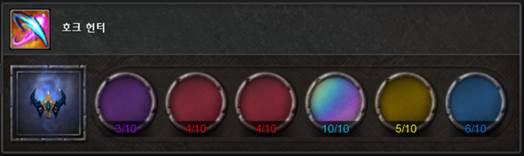
- [4] Depends on Absolute Binder grade, we can have different numbers of slots for equipping polished Soul Shard.
|
|
Cannot equip Soul Shard with the same stats. |
|---|---|
|
|
Each slot has its own level, from 1 to 10. |
|
|
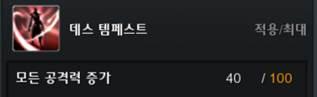
Depending on the level , 1~10, you can unleash 10% - 100% of the equipped Soul Shard's stats. |

- [5] Buttons:
- Slot Upgrade: Select a Soul Shard slot to upgrade, using Absolute Injection
- Shard Polish: To perform Soul Shard Polish
- [6] Applicable stats of the skills, there are applicable / max stats
- Depending on Soul Shard slot grade, different percentage of stats will be applied
- By default, Soul Shard slot has Lv. 1 (equals to 10% of the stats of Polished Soul Shard), can be upgraded to Lv. 10 (equals to 100% of the stats)
- If you equip a Soul Shard with All Attack Power Up +100 in a Level 4 slot, 40% of the max stats will be applied, which is All Attack Power Up +40.
c. Slot Upgrade
- Select a Soul Shard slot from the Absolute Drive UI and click on Slot Upgrade, the Upgrade UI will be shown.
- Target Soul Shard slot and linked Absolute Binder on the main UI will be marked in light blue.
- In the Upgrade UI, details of the upgrade can be found.
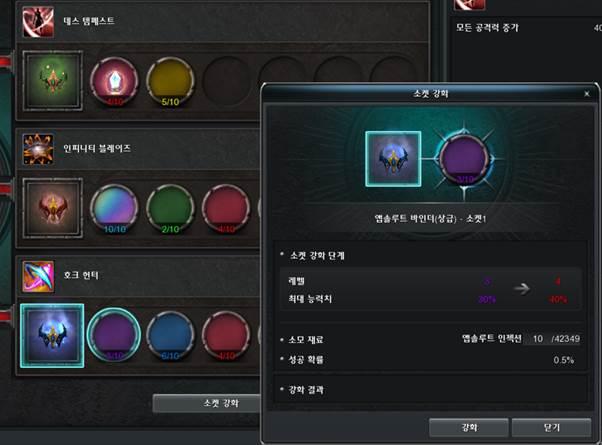
Slot Upgrade UI
- Material and Success Rate are fixed, regardless of the upgrade level:
- Material: Absolute Injection x10
- Success Rate: 50%
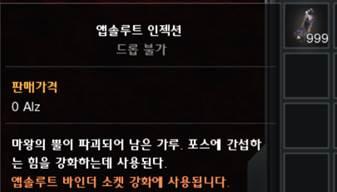
- Absolute Injection can be obtained by extracting Absolute Binder items, the material cannot be transferred between accounts.
|
|
Item Name |
Absolute Injection |
|---|---|---|
|
Property |
Account-Binding |
|
|
Description |
A material obtained upon extracting Soul Shards, used to refine the Soul Shard's options. |
|
|
Absolute Binder Extraction Results |
||
|
Absolute Bind Grade |
Amount of Absolute Injection |
|
|
Absolute Binder (Low) |
20 |
|
|
30 |
||
|
40 |
||
|
Absolute Binder (Medium) |
40 |
|
|
50 |
||
|
60 |
||
|
Absolute Binder (High) |
60 |
|
|
70 |
||
|
80 |
||
d. Soul Shard Polish
- Sealed Soul Shard can be obtained from Solo Raid.
- Unseal a Sealed Soul Shardby right-clicking on the Sealed Soul Shard, by doing so:
- A random stat will be granted to the Sealed Soul Shard.
- It turns into an Unsealed Soul Shard.
- It will be Trade Not Allowed, Cannot Transfer between Accounts.
- Right clicking on an Unsealed Soul Shard, Soul Shard Polishing UI will be displayed.
- By Polishing, the value of the item will be granted within a random range.
- Material and Success Rate are fixed:
- Material: Ground Soul x10
- Success Rate: 100%
|
|
Item Name |
Ground Soul |
|---|---|---|
|
Property |
Account-Binding |
|
|
Description |
Upgrade material that can be obtained when extracting Absolute Binder and is used to upgrade Absolute Binder. |
|
|
Absolute Binder Extraction Results |
||
|
Soul Shard Grade |
Amount of Ground Soul |
|
|
1 ~ 3 |
10 |
|
|
20 |
||
|
30 |
||
|
4 ~ 6 |
20 |
|
|
30 |
||
|
40 |
||
|
7 ~ 9 |
30 |
|
|
40 |
||
|
50 |
||
|
10 |
50 |
|
|
75 |
||
|
100 |
||
e. Equipping and Replacing Absolute Binder / Soul Shard
- Absolute Binder:
- Equip: Right clicking on an Absolute Binder in the inventory
- If any Absolute Binder slot is empty: Equip that Absolute Binder into the first empty slot.
- If all 3 slots of Absolute Binder are full: Nothing happens.
- Switch: Cannot replace an equipped Absolute Binder with another one due to different slots of Soul Shard.
- Unequip: All equipped Soul Shards will be also unequipped and return to the Inventory.
- Equip: Right clicking on an Absolute Binder in the inventory
- Soul Shard: No special restriction for equipping / replacing Soul Shard item.
3. Core Break Skill
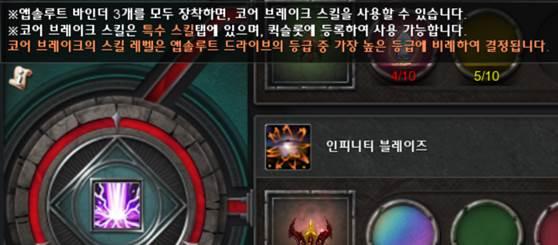
- If all 3 slots of Absolute Binders are equipped, a special skill is unlocked Core Break.
- Core Break Skill:
- Core Break is Instant Cast skill.
- Core Break skill range: 13.
- Applicable Target: Can be used only on Boss Monster.
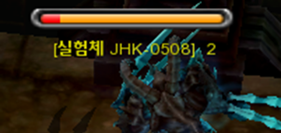
- Applicable Situation: Only if the Boss Monster HP is within the special marked range (marked in Red Colour on Boss HP Bar)
- Applicable Restriction:
- Usable once (01) per boss per party.
- Meaning all party members share the same restriction.
- Once the Core Break skill is used, the special Red Colour range on Boss HP Bar will disappear.
- Usable once (01) per boss per party.
- Feature: Reduce Boss Monster HP by a fixed percentage, determined by the highest grade of equipped Absolute Binder of the character who cast the skill.
- Even if a character equips only a single Absolute Binder (High), still the cast of Core Break by that character will cause the fixed percentage determined by Absolute Binder (High).
|
Highest Equipped Absolute Binder |
Core Break Skill Level |
Effect |
|---|---|---|
|
Absolute Binder (Low) |
Lv.1 |
Reduce total HP by 2% |
|
Absolute Binder (Medium) |
Lv.2 |
Reduce total HP by 4% |
|
Absolute Binder (High) |
Lv.3 |
Reduce total HP by 6% |
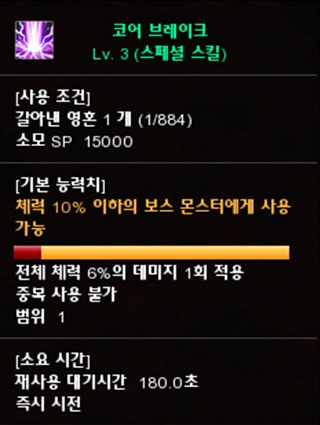
- Core Break is available in Skill UI at Special tab, allow to register in Quick Slot.
- Casting Core Break consumes Ground Soul (obtainable by extracting Soul Shard).
|
|
|
|---|---|
|
Core Break Skill |
Special Red Colour Range marked on Boss HP Bar |
|
|
|
|
Details of Core Break skill |
Yellow Border on Core Break if skill is usable |

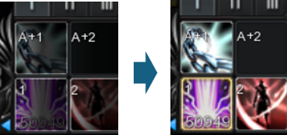
4. Available Options of Seal Shards
- Different Options could be granted to a Soul Shard by unsealing an Sealed Soul Shard.
- Value of the Unsealed Seal Shard is determined by performing Polishing on Seal Shard.
|
Soul Shard Grade |
Stats |
Stats Range | |||||||||||||||||||
|---|---|---|---|---|---|---|---|---|---|---|---|---|---|---|---|---|---|---|---|---|---|
|
1 |
2 |
3 |
4 |
5 |
6 |
7 |
8 |
9 |
10 |
||||||||||||
|
From |
To |
From |
To |
From |
To |
From |
To |
From |
To |
From |
To |
From |
To |
From |
To |
From |
To |
From |
To |
||
|
Grade 1 |
Ignore DMG Reduce |
120 |
150 |
140 |
170 |
180 |
230 |
220 |
270 |
260 |
320 |
310 |
380 |
360 |
440 |
420 |
510 |
510 |
620 |
660 |
800 |
|
Add Damage |
120 |
150 |
140 |
170 |
180 |
230 |
220 |
270 |
260 |
320 |
310 |
380 |
360 |
440 |
420 |
510 |
510 |
620 |
660 |
800 |
|
|
All Attack Up |
2 |
3 |
3 |
4 |
4 |
5 |
5 |
6 |
6 |
8 |
8 |
10 |
10 |
13 |
13 |
18 |
18 |
24 |
24 |
30 |
|
|
Grade 2 |
Ignore DMG Reduce |
180 |
220 |
210 |
270 |
270 |
330 |
330 |
400 |
390 |
490 |
470 |
570 |
550 |
670 |
640 |
800 |
800 |
980 |
980 |
1200 |
|
Add Damage |
180 |
220 |
210 |
270 |
270 |
330 |
330 |
400 |
390 |
490 |
470 |
570 |
550 |
670 |
640 |
800 |
800 |
980 |
980 |
1200 |
|
|
All Attack Up |
4 |
6 |
6 |
8 |
8 |
10 |
10 |
13 |
13 |
16 |
16 |
20 |
20 |
26 |
26 |
36 |
36 |
48 |
48 |
60 |
|
|
Ignore Resist Skill Amp. (%) |
1.1 |
1.4 |
1.4 |
1.8 |
1.7 |
2.2 |
2.2 |
2.9 |
2.9 |
3.9 |
3.9 |
4.9 |
4.9 |
6.3 |
6.3 |
8.3 |
8.3 |
11 |
11 |
14 |
|
|
Grade 3 |
Ignore DMG Reduce |
240 |
290 |
290 |
350 |
350 |
450 |
440 |
540 |
540 |
640 |
620 |
760 |
730 |
890 |
840 |
1050 |
1050 |
1310 |
1310 |
1600 |
|
Add Damage |
240 |
290 |
290 |
350 |
350 |
450 |
440 |
540 |
540 |
640 |
620 |
760 |
730 |
890 |
840 |
1050 |
1050 |
1310 |
1310 |
1600 |
|
|
All Attack Up |
7 |
9 |
9 |
12 |
12 |
15 |
15 |
19 |
19 |
24 |
24 |
30 |
30 |
39 |
39 |
51 |
51 |
66 |
72 |
90 |
|
|
Ignore Resist Skill Amp. (%) |
1.3 |
1.6 |
1.6 |
2.1 |
2.1 |
2.5 |
2.5 |
3.3 |
3.3 |
4.4 |
4.4 |
5.8 |
5.8 |
7.8 |
7.8 |
9.8 |
9.8 |
12 |
13 |
16 |
|
|
Grade 4 |
Ignore DMG Reduce |
300 |
360 |
360 |
440 |
420 |
550 |
540 |
670 |
660 |
810 |
780 |
950 |
910 |
1110 |
1050 |
1320 |
1320 |
1640 |
1640 |
2000 |
|
Add Damage |
300 |
360 |
360 |
440 |
420 |
550 |
540 |
670 |
660 |
810 |
780 |
950 |
910 |
1110 |
1050 |
1320 |
1320 |
1640 |
1640 |
2000 |
|
|
All Attack Up |
9 |
12 |
12 |
16 |
16 |
20 |
20 |
26 |
26 |
32 |
32 |
40 |
40 |
56 |
56 |
74 |
74 |
96 |
96 |
120 |
|
|
Ignore Resist Skill Amp. (%) |
1.4 |
1.8 |
1.8 |
2.3 |
2.2 |
2.8 |
2.8 |
3.8 |
3.8 |
5 |
4.9 |
6.3 |
6.3 |
8.1 |
8.1 |
10.5 |
10.4 |
14 |
14 |
18 |
|
|
Ignore Resist Crit. DMG (%) |
7.2 |
9 |
9 |
10 |
9.6 |
11.2 |
10.8 |
12.6 |
12.4 |
14.4 |
14.4 |
17.2 |
17.2 |
21.6 |
21.6 |
26 |
26 |
32 |
32 |
40 |
|
|
Grade 5 |
Ignore DMG Reduce |
360 |
440 |
430 |
530 |
530 |
670 |
660 |
800 |
800 |
970 |
970 |
1150 |
1150 |
1330 |
1330 |
1580 |
1580 |
1960 |
1960 |
2400 |
|
Add Damage |
360 |
440 |
430 |
530 |
530 |
670 |
660 |
800 |
800 |
970 |
970 |
1150 |
1150 |
1330 |
1330 |
1580 |
1580 |
1960 |
1960 |
2400 |
|
|
All Attack Up |
12 |
15 |
15 |
20 |
20 |
25 |
25 |
32 |
32 |
45 |
45 |
58 |
58 |
72 |
72 |
96 |
96 |
120 |
120 |
150 |
|
|
Ignore Resist Skill Amp. (%) |
1.6 |
2 |
2 |
2.6 |
2.6 |
3.1 |
3.1 |
4.1 |
4.1 |
5.5 |
5.5 |
7 |
7 |
9 |
9 |
12 |
12 |
16 |
16 |
20 |
|
|
Ignore Resist Crit. DMG (%) |
8.4 |
10 |
10 |
11.6 |
11.2 |
12.8 |
12 |
14 |
13.4 |
16 |
15.2 |
18.6 |
18 |
22 |
22 |
27.6 |
27.6 |
36 |
36 |
45 |
|
|
Cancel Ignore Penetration |
6 |
7.5 |
7.5 |
9.5 |
9.5 |
12 |
12 |
15 |
15 |
20 |
20 |
25 |
25 |
32.5 |
32.5 |
45 |
45 |
60 |
60 |
75 |
|
|
Grade 6 |
Ignore DMG Reduce |
420 |
510 |
510 |
620 |
620 |
780 |
780 |
940 |
940 |
1130 |
1130 |
1330 |
1330 |
1550 |
1550 |
1800 |
1800 |
2290 |
2290 |
2800 |
|
Add Damage |
420 |
510 |
510 |
620 |
620 |
780 |
780 |
940 |
940 |
1130 |
1130 |
1330 |
1330 |
1550 |
1550 |
1800 |
1800 |
2290 |
2290 |
2800 |
|
|
All Attack Up |
14 |
18 |
18 |
24 |
24 |
30 |
30 |
38 |
38 |
48 |
48 |
60 |
60 |
85 |
85 |
110 |
110 |
144 |
144 |
180 |
|
|
Ignore Resist Skill Amp. (%) |
1.7 |
2.2 |
2.2 |
2.9 |
2.9 |
3.6 |
3.6 |
4.8 |
4.8 |
6 |
6 |
7.7 |
7.7 |
9.9 |
9.9 |
13.2 |
13.2 |
17 |
17 |
22 |
|
|
Ignore Resist Crit. DMG (%) |
9.2 |
10.8 |
10.8 |
12.4 |
12.4 |
14.4 |
14.4 |
16 |
16 |
18.2 |
18.2 |
20.6 |
20.6 |
24.4 |
24.4 |
31.6 |
31.6 |
40 |
40 |
50 |
|
|
Cancel Ignore Penetration |
7.5 |
9 |
9 |
11 |
11 |
15 |
15 |
21 |
21 |
28 |
28 |
34 |
34 |
43 |
43 |
55 |
55 |
72 |
72 |
90 |
|
|
Crit. DMG (%) |
15 |
18 |
18 |
22 |
22 |
30 |
30 |
42 |
42 |
56 |
56 |
68 |
68 |
86 |
86 |
110 |
110 |
144 |
144 |
180 |
|
|
Grade 7 |
Ignore DMG Reduce |
480 |
580 |
580 |
700 |
700 |
880 |
880 |
1080 |
1080 |
1290 |
1290 |
1520 |
1520 |
1780 |
1780 |
2050 |
2050 |
2620 |
2620 |
3200 |
|
Add Damage |
480 |
580 |
580 |
700 |
700 |
880 |
880 |
1080 |
1080 |
1290 |
1290 |
1520 |
1520 |
1780 |
1780 |
2050 |
2050 |
2620 |
2620 |
3200 |
|
|
All Attack Up |
16 |
22 |
22 |
28 |
28 |
36 |
36 |
45 |
45 |
56 |
56 |
72 |
72 |
92 |
92 |
130 |
130 |
168 |
168 |
210 |
|
|
Ignore Resist Skill Amp. (%) |
1.9 |
2.4 |
2.4 |
3.1 |
3.1 |
4 |
4 |
5.2 |
5.2 |
6.7 |
6.7 |
8.5 |
8.5 |
11 |
11 |
14 |
14 |
19 |
19 |
24 |
|
|
Ignore Resist Crit. DMG (%) |
10 |
12 |
12 |
14 |
14 |
16 |
16 |
18 |
18 |
20 |
20 |
23 |
23 |
28 |
28 |
36 |
36 |
44 |
44 |
55 |
|
|
Cancel Ignore Penetration |
8.5 |
11 |
11 |
13.5 |
13.5 |
17.5 |
17.5 |
23 |
23 |
30 |
30 |
37.5 |
37.5 |
47 |
47 |
63 |
63 |
84 |
84 |
105 |
|
|
Crit. DMG (%) |
17 |
22 |
22 |
28 |
28 |
36 |
36 |
44 |
44 |
56 |
56 |
72 |
72 |
96 |
96 |
128 |
128 |
168 |
168 |
210 |
|
|
All Skill Amp. (%) |
8 |
11 |
11 |
13 |
13 |
17 |
17 |
22 |
22 |
28 |
28 |
36 |
36 |
47 |
47 |
65 |
65 |
84 |
84 |
105 |
|
|
Grade 8 |
Ignore DMG Reduce |
540 |
660 |
660 |
800 |
800 |
1000 |
1000 |
1220 |
1220 |
1460 |
1460 |
1720 |
1720 |
2000 |
2000 |
2400 |
2400 |
2950 |
2950 |
3600 |
|
Add Damage |
540 |
660 |
660 |
800 |
800 |
1000 |
1000 |
1220 |
1220 |
1460 |
1460 |
1720 |
1720 |
2000 |
2000 |
2400 |
2400 |
2950 |
2950 |
3600 |
|
|
All Attack Up |
18 |
25 |
25 |
32 |
32 |
41 |
41 |
52 |
52 |
64 |
64 |
82 |
82 |
114 |
114 |
148 |
148 |
192 |
192 |
240 |
|
|
Ignore Resist Skill Amp. (%) |
2 |
2.6 |
2.6 |
3.4 |
3.4 |
4.2 |
4.2 |
5.6 |
5.6 |
7.4 |
7.4 |
9.2 |
9.2 |
11.8 |
11.8 |
15.6 |
15.6 |
20 |
20 |
26 |
|
|
Ignore Resist Crit. DMG (%) |
11 |
13.6 |
13.6 |
15 |
15 |
17 |
17 |
18.6 |
18.6 |
22 |
22 |
25 |
25 |
29.6 |
29.6 |
37.2 |
37.2 |
48 |
48 |
60 |
|
|
Cancel Ignore Penetration |
9.5 |
12 |
12 |
15 |
15 |
19 |
19 |
24 |
24 |
32 |
32 |
44 |
44 |
59 |
59 |
74 |
74 |
96 |
96 |
120 |
|
|
Crit. DMG (%) |
19 |
25 |
25 |
32 |
32 |
40 |
40 |
52 |
52 |
64 |
64 |
82 |
82 |
110 |
110 |
148 |
148 |
192 |
192 |
240 |
|
|
All Skill Amp. (%) |
9.5 |
12 |
12 |
15 |
15 |
19 |
19 |
24 |
24 |
32 |
32 |
43 |
43 |
59 |
59 |
75 |
75 |
96 |
96 |
120 |
|
|
Penetration |
17 |
24 |
24 |
32 |
32 |
42 |
42 |
56 |
56 |
70 |
70 |
86 |
86 |
110 |
110 |
134 |
134 |
168 |
168 |
210 |
|
|
Grade 9 |
Ignore DMG Reduce |
600 |
740 |
740 |
900 |
900 |
1160 |
1160 |
1350 |
1350 |
1600 |
1600 |
1900 |
1900 |
2220 |
2220 |
2600 |
2600 |
3280 |
3280 |
4000 |
|
Add Damage |
600 |
740 |
740 |
900 |
900 |
1160 |
1160 |
1350 |
1350 |
1600 |
1600 |
1900 |
1900 |
2220 |
2220 |
2600 |
2600 |
3280 |
3280 |
4000 |
|
|
All Attack Up |
22 |
28 |
28 |
36 |
36 |
48 |
48 |
60 |
60 |
78 |
78 |
102 |
102 |
134 |
134 |
166 |
166 |
216 |
216 |
270 |
|
|
Ignore Resist Skill Amp. (%) |
2.2 |
2.8 |
2.8 |
3.6 |
3.6 |
4.6 |
4.6 |
6 |
6 |
7.8 |
7.8 |
10 |
10 |
13 |
13 |
16.4 |
16.4 |
22 |
22 |
28 |
|
|
Ignore Resist Crit. DMG (%) |
12 |
14 |
14 |
16.4 |
16.4 |
18.8 |
18.8 |
21.2 |
21.2 |
23.6 |
23.6 |
27.6 |
27.6 |
31.6 |
31.6 |
40 |
40 |
52 |
52 |
65 |
|
|
Cancel Ignore Penetration |
11 |
14 |
14 |
17 |
17 |
22 |
22 |
28 |
28 |
37 |
37 |
47 |
47 |
60 |
60 |
82 |
82 |
108 |
108 |
135 |
|
|
Crit. DMG (%) |
22 |
28 |
28 |
36 |
36 |
46 |
46 |
58 |
58 |
72 |
72 |
92 |
92 |
124 |
124 |
164 |
164 |
216 |
216 |
270 |
|
|
All Skill Amp. (%) |
11 |
14 |
14 |
17 |
17 |
22 |
22 |
28 |
28 |
37 |
37 |
47 |
47 |
60 |
60 |
82 |
82 |
108 |
108 |
135 |
|
|
Penetration |
18 |
23 |
23 |
28 |
28 |
36 |
36 |
47 |
47 |
60 |
60 |
80 |
80 |
104 |
104 |
140 |
140 |
185 |
185 |
230 |
|
|
Grade 10 |
Ignore DMG Reduce |
660 |
800 |
800 |
970 |
1010 |
1230 |
1220 |
1490 |
1460 |
1780 |
1720 |
2100 |
2010 |
2450 |
2320 |
2830 |
2810 |
3430 |
3600 |
4400 |
|
Add Damage |
660 |
800 |
800 |
970 |
1010 |
1230 |
1220 |
1490 |
1460 |
1780 |
1720 |
2100 |
2010 |
2450 |
2320 |
2830 |
2810 |
3430 |
3600 |
4400 |
|
|
All Attack Up |
24 |
30 |
32 |
40 |
40 |
50 |
52 |
65 |
64 |
80 |
80 |
100 |
104 |
130 |
132 |
165 |
176 |
220 |
240 |
300 |
|
|
Ignore Resist Skill Amp. (%) |
2.4 |
3 |
3.2 |
4 |
4 |
5 |
5.2 |
6.5 |
6.8 |
8.5 |
8.4 |
10.5 |
10.8 |
13.5 |
14 |
17.5 |
18 |
22.5 |
24 |
30 |
|
|
Ignore Resist Crit. DMG (%) |
12.8 |
16 |
14 |
17.6 |
15.6 |
19.6 |
17.2 |
21.6 |
19.6 |
24.6 |
22.8 |
28.6 |
27.2 |
34 |
33.6 |
42 |
43.2 |
54 |
56 |
70 |
|
|
Cancel Ignore Penetration |
12 |
15 |
15 |
19 |
19 |
24 |
24.5 |
30.5 |
32 |
40 |
40.5 |
50.5 |
52 |
65 |
68 |
85 |
87 |
108.5 |
120 |
150 |
|
|
Crit. DMG (%) |
24 |
30 |
32 |
40 |
40 |
51 |
51 |
64 |
64 |
80 |
80 |
100 |
104 |
130 |
140 |
175 |
184 |
230 |
240 |
300 |
|
|
All Skill Amp. (%) |
12 |
15 |
15 |
19 |
19 |
24 |
24.5 |
30.5 |
31.5 |
39.5 |
40 |
50 |
52 |
65 |
67 |
83.5 |
87 |
108.5 |
120 |
150 |
|
|
Penetration |
20 |
25 |
25 |
31 |
31 |
39 |
40 |
50 |
52 |
65 |
67 |
84 |
88 |
110 |
116 |
145 |
151 |
189 |
200 |
250 |
|
X. Eternal Chaos Arena Renewal
1. Concept
- Change the map design for Eternal Chaos Arena and monsters.
- Dungeon Requirement, Boost Restriction, Entry Item… are the same as before.
- Daily Entry Limit is changed from 15 to 10.
- Dungeon Flow is the same with 15 Waves and 5 Boss Waves (repeat with 3 normal waves then 1 boss wave).
- Defeating the Boss in each Boss Wave grant extra 05:00 minutes to the dungeon time.
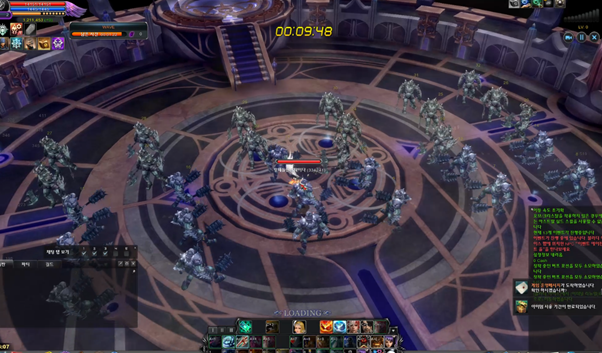
Eternal Chaos Arena Renewal
2. Drop Changes
- Monsters in each Wave has different chance to drop Fragment of Chaos x1.
- On defeating the Boss at the Boss Wave gives 100% chance to drop Fragment of Chaos x1.
- By defeating the last boss Eternal Vitos, there is a chance for dropping Essence of Chaos Guardian.
- Drop rate of some existing Essence of Chaos Guardian is adjusted, new Essence of Chaos Guardian (Ring) is added as the drop from last boss.
|
Item |
Remark |
|---|---|
|
Essence of Chaos Guardian (Chaos Belt) |
Drop Rate adjusted |
|
Essence of Chaos Guardian (Chaos Talisman) |
No Change in Drop Rate |
|
Essence of Chaos Guardian (Carnelian) |
Drop Rate adjusted |
|
Essence of Chaos Guardian (Arcana of Chaos) |
No Change in Drop Rate |
|
Essence of Chaos Guardian (Arcana of Laws) |
Drop Rate adjusted |
|
Essence of Chaos Guardian (Arcana of Guardian) |
Drop Rate adjusted |
|
Essence of Chaos Guardian (Earring) |
No Change in Drop Rate |
|
Essence of Chaos Guardian (Amulet) |
No Change in Drop Rate |
|
Essence of Chaos Guardian (Bracelet) |
No Change in Drop Rate |
|
Essence of Chaos Guardian (Ring) |
Add Drop |
XI. Dungeon Improvements & Rebalancing
1. Changes to Dungeon Entry Items
- Dungeon Entry items are now stackable.
- Targets: Dungeon Entry Item, Yul's Exchange Ticket (Dungeon Entry Ticket)
- All existing Dungeon Entry items before the update will be automatically converted into stackabletype after the update.
- In case the original items have duration:
- The target items will be converted into stackable type with duration.
- Stackable items with different duration cannot be stacked together.
- In case the original items have duration:
- All existing contents that related to Dungeon Entry items have been changed to stack items:
- Field Drops
- Dungeon Drops
- NPC Shops
- Chloe's Requests
- Collections
- Newbie Support
- Challenge Mission
2. Changes to Dungeon Drops
|
Dungeon |
Box |
Divine Stone Fragment Quantity | |
|---|---|---|---|
|
Old |
New |
||
|
Glacies Inferna |
Source of the Power of Nazabrum |
5 |
7 |
|
Source of the Power of Barlog |
10 |
14 |
|
|
Source of the Power of Minisha |
15 |
21 |
|
|
Source of the Power of Diablos |
20 |
28 |
|
|
Remains of Diablos' Power |
70 |
50 |
|
|
Dungeon |
Box |
Old |
New |
|
Mirage Island (Awakened) |
Relic Box |
Palladium Top-Epic 2 |
Demonite Sub-Epic 2 |
|
Demonite Sub-Epic 2 |
Demonite Top-Epic 1 |
||
|
Legacy Box |
Demonite Sub-Epic 2 |
Demonite Top-Epic 1 |
|
|
Demonite Top-Epic 1 |
Demonite Top-Epic 2 |
||
|
Legendary Box |
Demonite Top-Epic 2 |
Demonite Top-Epic 2 |
|
|
Demonite Top-Epic 3 |
Demonite Top-Epic 3 |
||
|
Celestia |
Relic Box |
Demonite Top-Epic 1 |
Demonite Top-Epic 1 |
|
Dragonium General |
Dragonium General |
||
|
Legacy Box |
Demonite Top-Epic 2 |
Demonite Top-Epic 2 |
|
|
Dragonium General |
Dragonium General |
||
|
Dragonium Sub-Epic 1 |
Dragonium Sub-Epic 1 |
||
|
Dragonium Sub-Epic 2 |
|||
|
Legendary Box |
Dragonium Sub-Epic 1 |
||
|
Dragonium Sub-Epic 2 |
Dragonium Sub-Epic 2 |
||
|
Dragonium Sub-Epic 3 |
Dragonium Sub-Epic 3 |
||
|
Dragonium Top-Epic 1 |
Dragonium Top-Epic 1 |
||
|
Purifier of the Forest |
Relic Box |
Demonite Top-Epic 1 |
Demonite Top-Epic 1 |
|
Dragonium General |
Dragonium General |
||
|
Legacy Box |
Demonite Top-Epic 2 |
Demonite Top-Epic 2 |
|
|
Dragonium General |
Dragonium General |
||
|
Dragonium Sub-Epic 1 |
Dragonium Sub-Epic 1 |
||
|
Dragonium Sub-Epic 2 |
|||
|
Legendary Box |
Dragonium Sub-Epic 1 |
||
|
Dragonium Sub-Epic 2 |
Dragonium Sub-Epic 2 |
||
|
Dragonium Sub-Epic 3 |
Dragonium Sub-Epic 3 |
||
|
Dragonium Top-Epic 1 |
Dragonium Top-Epic 1 |
||
|
Automata Lab SCA-76 |
Relic Box |
Demonite Top-Epic 2 |
Demonite Top-Epic 1 |
|
Dragonium Sub-Epic 1 |
Dragonium Sub-Epic 2 |
||
|
Legacy Box |
Dragonium Sub-Epic 2 |
Dragonium Sub-Epic 2 |
|
|
Dragonium Top-Epic 1 |
Dragonium Top-Epic 1 |
||
|
Legendary Box |
Dragonium Sub-Epic 1 |
||
|
Dragonium Sub-Epic 2 |
Dragonium Top-Epic 1 |
||
|
Dragonium Top-Epic 2 |
Dragonium Top-Epic 2 |
||
|
Dragonium Top-Epic 3 |
|||
|
Tower the Dead B4F |
Relic Box |
Demonite Top-Epic 3 |
|
|
Dragonium Sub-Epic 1 |
Dragonium Sub-Epic 2 |
||
|
Dragonium Sub-Epic 2 |
Dragonium Sub-Epic 3 |
||
|
Legacy Box |
Dragonium Sub-Epic 2 |
Dragonium Sub-Epic 3 |
|
|
Dragonium Top-Epic 1 |
Dragonium Top-Epic 1 |
||
|
Dragonium Top-Epic 2 |
Dragonium Top-Epic 2 |
||
|
Legendary |
Dragonium Sub-Epic 2 |
||
|
Dragonium Sub-Epic 3 |
Dragonium Top-Epic 1 |
||
|
Dragonium Top-Epic 2 |
Dragonium Top-Epic 2 |
||
|
Dragonium Top-Epic 3 |
Dragonium Top-Epic 3 |
||
3. Glacies Inferna
a. Adjust monster stats
- Decreased HP.
- Increased Attack Rate / Attack / Penetration / Ignore DMG Reduce.
- Increased Defense / DMG Reduce / Ignore Penetration.
- Added Resist Skill Amp. / Resist Crit. DMG.
b. Changes to Seal Stone
- Increased HP of Red Seal Stone / Blue Seal Stone, from 100 to 120.
- Increased amount of HP Recovery of Seal Stone upon defeating Boss Monster, from 15% to 20%.
4. Automata Lab SCA-76
a. Adjust Boss monster’s range
- Unified the attack range of fixed-position boss monsters to 12.
- Target bosses:
- Awakened Grogo
- Awakened Gorgue
- Awakened Bariald
- Awakened Garliardo
- Awakened Crasio
- Awakened Tolerant
- Awakened Dispensio
- Destroyer Ageluth
- Controller of Temple Chief Laxar
5. Mirage Island (Awakened)
a. Adjust monster stats
- Decreased HP.
- Increased Ignore DMG Reduce.
b. Adjust Boss monster stats
- Decreased HP.
- Increased Ignore DMG Reduce.
6. Purifier of the Forest
- Map layout is revised to improve the movement of characters.
- Add smoke effects at hole areas in the room before last boss.

7. Mandarat’s Legacy
- Adjust the location of the Warp Portalto the Boss Room.
- Add marking on the floor of the Warp Portal to the Boss Room.
|
|
|
|---|---|
|
Without Warp Portal activated |
With Warp Portal activated |
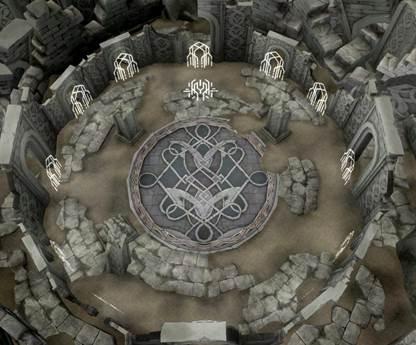
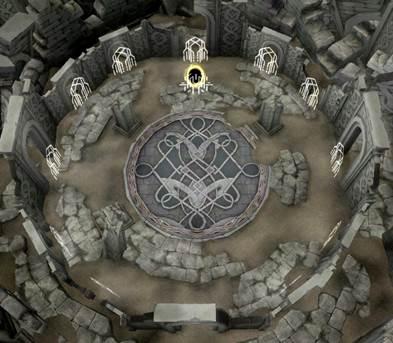
8. Guild Dungeon
- Increase number of participants in Guild Dungeon:
- Old: 25
- New: 30
- Change the entrance NPC to other side of Bloody Ice village area.
|
|
|
|---|---|
|
NPC Terner |
Entrance NPC is near to Chaos Arena Entrance |
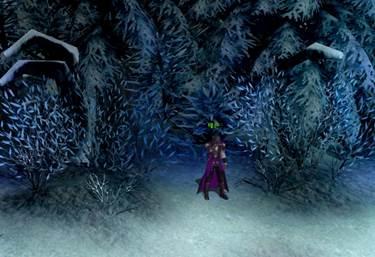
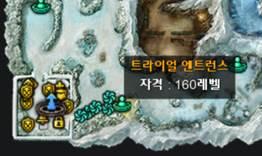
9. Faded / Weakened Dungeons
- Change of Entrance:
- Old: 4th Gate in Warp Centre
- New: New Warp Portal in Bloody Ice
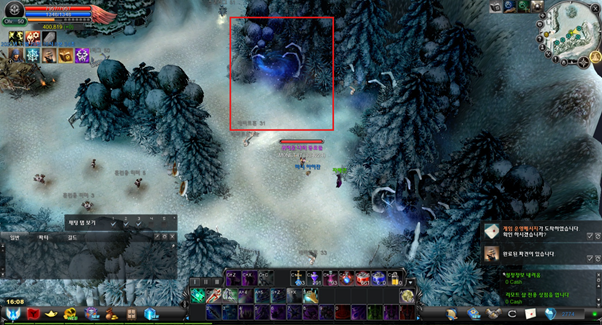
XII. Chat Box & Blocking Improvements
1. Login Information Message
- Synchronised the status of Buddy and Guild Member with the Mail system.
- Old: Display separated login information message if the target character is in both Buddy List and Guild List.
- New: Refer to the table below
|
Login Person |
Settings of Disregard Login Message (checked is equivalent to NOT show) |
Message at System Message Box | ||
|---|---|---|---|---|
|
Buddy |
Guild Member |
Buddy |
Guild Member |
|
|
V |
Message in [ BLUE ]Colour |
|||
|
V |
V |
No Message |
||
|
V |
Message in [ GREEN ]Colour |
|||
|
V |
V |
No Message |
||
|
V |
V |
V |
Message in [ BLUE ]Colour |
|
|
V |
V |
V |
Message in [ GREEN ]Colour |
|
|
V |
V |
Message in [ ORANGE ]Colour |
||
|
V |
V |
V |
V |
No Message |
2. Chat Box Improvements
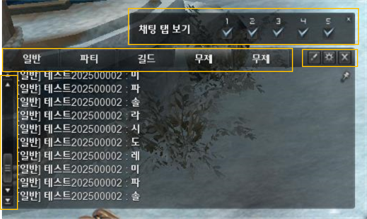
a. Show Chat Tab
- You can select which chat tabs are displayed by using the [Show Chat Tab] checkboxes.
- At least one checkbox must be selected, and up to five checkboxes can be selected.
- All five tabs can be selected, but at least one tab must remain selected.
- When you hover over a checkbox, the corresponding chat tab name is displayed as a tooltip.

b. Chat Tabs
- A Chat Tabbutton is added to the chat window.
- The selected chat tabs are retained even after reconnecting or switching characters.
- Each chat tab has its own default settings, which can be customized according to the player's preferences.
|
Order |
Tab Name |
Default Chat Type |
Normal |
Party |
Guild |
Trade |
Channel |
Whisper |
Shout |
|---|---|---|---|---|---|---|---|---|---|
|
1 |
Common |
Common |
V |
V |
V |
V |
V |
V |
V |
|
2 |
Party |
Party |
V |
V |
|||||
|
3 |
Guild |
Guild |
V |
V |
|||||
|
4 |
Untitled |
Common |
V |
V |
|||||
|
5 |
Untitled |
Common |
V |
V |
- The default chat filter settings for each tab are applied as shown in the UI.
- Clicking Default button applies the default settings shown above.
- Tabs 1, 2, and 3 are selected by default.
- You can also override the original default with your customised one by select Option > Set to Default applies these default values.
- Scroll Bar UI Improvements
- A Scroll to Top button is added above the existing scroll bar controls.
- The scroll handle texture is updated to make it more visually distinct.
c. Chat Options
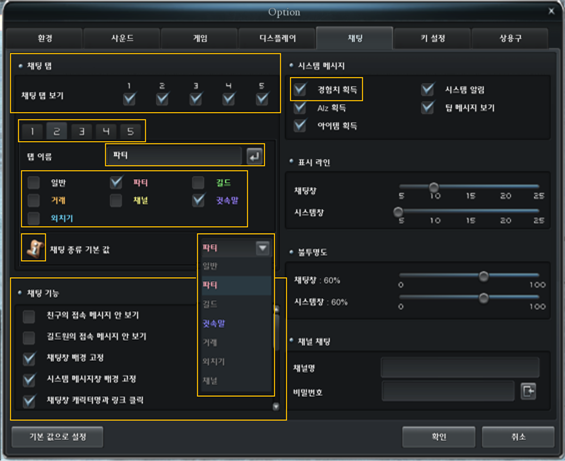
- Chat Tab
- You can select which tabs are displayed in the chat window through the Chat Taboption.
- The checkbox status is synchronized with View Chat Tab in the Chat Window UI.
- Hovering over a checkbox displays the corresponding tab name as a tooltip.
- You can select which tabs are displayed in the chat window through the Chat Taboption.
- Select Chat Tab
- The Select Chat Tab button allows you to select the chat tab whose settings you want to configure.
- Click the button to select the tab to configure.
- Hovering over the button displays the corresponding tab name as a tooltip.
- Chat Tab Name
- The Chat Tab Name input field allows you to customize the name of each chat tab.
- You can enter up to 10 characters, numbers, and special characters.
- Press Enter or click the Edit Complete button to save the tab name.
- The entered tab name is retained when switching between tabs using the chat tab selection button.
- The customized tab name is displayed consistently in:
- Chat Window UI
- Chat Tab View checkbox tooltip
- Chat Tab Select button tooltip
- Chat Tab Filtering
- As multiple chat tabs are added, chat filtering is expanded from Single Chat Filtering to Individual Tab Filtering.
- The existing function that displays only the selected chat filters remains unchanged.
- A chat filter configured as the default chat type cannot be disabled.
- Default Chat Type
- A default chat type can be assigned only when the corresponding chat tab filter is enabled.
- When switching between chat tabs using the Tab key or by clicking a tab, the chat input automatically changes to the default chat type assigned to that tab.
- Example:
- If Party is selected as the default chat type for Tab 2.
- When switching to Tab 2, the chat input automatically changes to Party.
- Chat Feature Changes and Additions
- Login notifications for buddies and guild members are separated.
- Since the Tab key is added as a shortcut for switching chat tabs, an ON/OFF option is added to enable or disable this shortcut.
- Experience Point Acquisition Notification
- Experience Point acquisition notification settings, which were previously separated into Normal, Overlord, and Myth, are consolidated into a single option.
- When Gain Experience is enabled, experience notifications are displayed according to the character's current level.
- Saving Options
- Chat options are saved at the account level.
- The saved settings remain unchanged when logging in with a different character on the same account.
d. Other Improvements
- Unify Whisper Font Colour
- The Whisper font color is standardized.
- Fixed an issue where the font colour changed in certain situation.
- Expanded Scroll Range: The scrollable range of the chat window is expanded.
3. Blocking
a. Expanded Blocking Scope
- Blocking Scope is expanded from Character Blocking to Account Blocking.
- Existing:
- When a character is blocked, only the specific character is registered on the block list.
- For example:
- Account A blocks Account B.
- Only the character that was blocked is registered.
- Other characters belonging to Account B are not automatically blocked.
- Change:
- Blocking is now applied at the account level.
- When a character is blocked, the corresponding account is registered on the block list.
- Other characters belonging to the same account are automatically handled according to the account-level blocking rules.
- Characters that have not yet been registered may be automatically registered when they are created or otherwise identified.
- Existing:
- Shared Block List
- The block list is shared across all characters on the account.
- Blocking another account applies regardless of which character is currently logged in.
- For example, if Account A blocks Account B, Account B's Characters 2, 3, 4, and 5 remain blocked even when Account A logs in using a different character.
b. Blocking Improvements
- Chat Restrictions & Request Restrictions
- The existing chat restriction is expanded.
- Previously, the blocker could not see the blocked user's chat, but the blocked user could still see the blocker's chat.
- With this change, neither the blocker nor the blocked user can see the other's chat messages.
- While two users are blocked from each other, certain requests are blocked.
|
Activity |
All characters in Blocker's Account |
All characters in Blocked Target's Account | |
|---|---|---|---|
|
Chat |
Normal |
X |
X |
|
Party |
X |
X |
|
|
Guild |
X |
X |
|
|
Trade |
X |
X |
|
|
Channel |
X |
X |
|
|
Whisper |
X |
X |
|
|
Shout |
X |
X |
|
|
Buddy Request |
X |
X |
|
|
Party Request |
X |
X |
|
|
Guild Request |
V |
V |
|
|
Trade Request |
X |
X |
|
|
PvP Request |
V |
V |
|
c. System Message
|
From - To |
Situation |
Sub-situation |
System Message |
|---|---|---|---|
|
Blocker to Blocked Target |
Duplicate Blocking |
Same account / character already blocked |
This user is already blocked. |
|
Another character from the same blocked account |
This user has already been blocked by [Blocked Nickname]. |
||
|
Party Invitation |
Same account / character already blocked |
You cannot send a party invitation because this user is on your block list. |
|
|
Another character from the same blocked account |
You cannot send a party invitation because this account is already on your block list as [Blocked User Nickname]. |
||
|
Party Request |
Same account / character already blocked |
You cannot join the party because this user is on your block list. |
|
|
Another character from the same blocked account |
You cannot send a party request because this account is already on your block list as [Blocked User Nickname]. |
||
|
Buddy Request |
Same account / character already blocked |
You cannot add this user as a buddy because they are on your block list. |
|
|
Another character from the same blocked account |
You cannot add this user as a buddy because this account is already on your block list as [Blocked User Nickname]. |
||
|
Blocked Target to Blocker |
Party Invitation |
Unable to send a party invitation. |
|
|
Party Request |
Unable to join the party. |
||
|
Buddy Request |
Unable to add a buddy. |
||
|
Trade Request |
Unable to send a trade request. |
d. Buddy List
- When a user is blocked, the blocker and blocked user are removed from each other's Buddy Lists.
- If either user is blocked while a Buddy Request is pending, the corresponding pending request is also removed.
e. Blocking Warning Window
- A Blocking Confirmation Window is added.
- Because the blocking scope has been expanded and additional restrictions have been introduced, a confirmation window is displayed whenever a user attempts to block another user.
- The confirmation window appears when blocking is initiated through any of the following methods:
- Block List Window > Add Block Status > Enter Nickname
- Left-click the character status window at the top > Add Block
- Enter /block followed by the target nickname.
- Clicking Yes proceeds with the blocking process.
- Clicking No cancels the blocking process.
f. Handling Deleted Blocked Characters
- If a blocked user moves or deletes a character, the block list handles the character as follows:
- The icon to the left of the nickname is replaced with the designated deleted-character icon.
- The nickname is displayed in a darker font colour.
- The block remains active even if the blocked character is deleted.
- If a new character is subsequently created in the same character slot, the previous blocking status is maintained.
- When a new character is created in the deleted character slot, the block list is updated to apply the existing blocking status to the newly created character.
|
|
|
|---|---|
|
Blocking Warning Window |
Deleted Blocked Character |
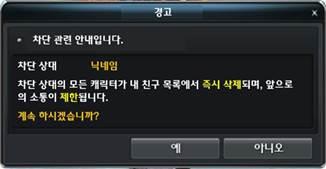
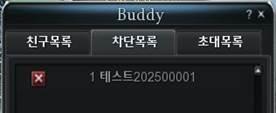
XIII. Notification Window
1. Notification Button
- A Notification button is added to the bottom-right corner of the screen, replacing the existing Server Ping.
2. Notification Window
- Click the Notification button to open or close the Notification window.
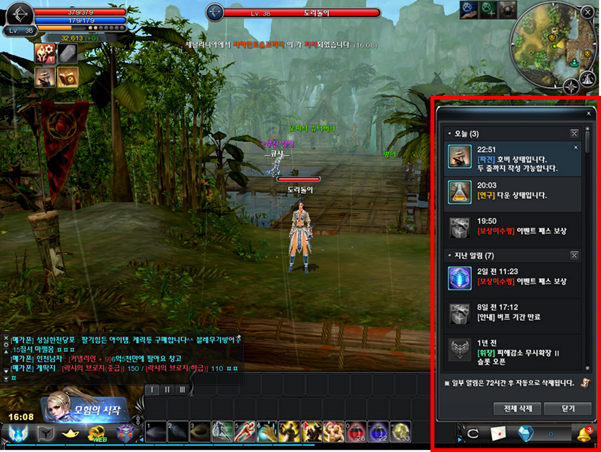
3. Stored Notifications
- Certain notifications are stored and displayed in the Notification window.
|
Notification |
|---|
|
Event Pass Premium Reward Claim Period |
|
Pet Dispatch Research Completed |
|
Pet Dispatch Completed |
|
Platinum / Diamond Insignia Slot Opened Completed |
|
Event Pass Premium Rewards Expire within 24 Hours |
|
Limited-Time Item Usage Period Expiring |
|
Bead Effect Expiring (Item / Customization) |
|
Buff Expiring |
|
Event Pass Premium Period Expiring |
|
Unclaimed Event Pass Premium Rewards |
- Game Operation Message
- Clicking a Game Operation Message notification now opens the Mailbox > Announcements tab.
XIV. Honor Medal - Elite
1. Honor Medal: Elite
- Unlock Condition
- When a character reaches Honor Medal Legend Rank 10, the character is automatically promoted to the Elite rank upon earning additional Honor Medal Points.
- Elite Tab
- An Elite tab is added to the Medal of Honor UI.
- Name Change
- The Elite Medal name is fixed as Elite Medal.
- The Elite Medal rank increases continuously.
- Elite Medal ranks can be grown up to Grade 40.
- Elite Points
- 1 Elite Point is awarded for each rank increase of the Elite Medal.
- Elite Points are used to unlock Medal of Honor slots.
- Elite Slots:
- Elite Slot has similar unlocking and assigning mechanism like other grades of Honor Medal.
- However, Elite Slot will not automatically level up even when the Honor Medal grade is increased. It must be upgrade manually.
Honor Medal - Elite tab
2. Elite Medal Categories
- When the Elite Medal is first unlocked, the first category, Meticulous Strategyis unlocked.
- Each category contains 10 slots.
- When all 10 slots in the current category are unlocked, the next category is automatically unlocked.
- 04 categories which give 40 slotsin total:
- Meticulous Strategy
- Resolute Advance
- Iron Blood of Steel
- Iron Wall Vanguard
3. Elite Medal Points
- Elite Medal Points are earned using the same scoring system as the existing Medal of Honor.
- Potion of Honor Medalusage restrictions:
- Up to 10% of a grade can be gained by using of Potion of Honor Medal.
- This restriction applies equally to all Elite Medal categories.
- Elite Medal Point Requirements
|
Category |
Grade |
Required Point to |
Accumulated Required Point |
|---|---|---|---|
|
Meticulous Strategy |
1 |
22,000 |
384,001 |
|
2 |
24,000 |
406,001 |
|
|
3 |
26,000 |
430,001 |
|
|
4 |
28,000 |
456,001 |
|
|
5 |
30,000 |
484,001 |
|
|
6 |
32,000 |
514,001 |
|
|
7 |
34,000 |
546,001 |
|
|
8 |
36,000 |
580,001 |
|
|
9 |
38,000 |
616,001 |
|
|
10 |
40,000 |
654,001 |
|
|
Resolute Advance |
11 |
22,000 |
694,001 |
|
12 |
24,000 |
716,001 |
|
|
13 |
26,000 |
740,001 |
|
|
14 |
28,000 |
766,001 |
|
|
15 |
30,000 |
794,001 |
|
|
16 |
32,000 |
824,001 |
|
|
17 |
34,000 |
856,001 |
|
|
18 |
36,000 |
890,001 |
|
|
19 |
38,000 |
926,001 |
|
|
20 |
40,000 |
964,001 |
|
|
Iron Blood of Steel |
21 |
22,000 |
1,004,001 |
|
22 |
24,000 |
1,026,001 |
|
|
23 |
26,000 |
1,050,001 |
|
|
24 |
28,000 |
1,076,001 |
|
|
25 |
30,000 |
1,104,001 |
|
|
26 |
32,000 |
1,134,001 |
|
|
27 |
34,000 |
1,166,001 |
|
|
28 |
36,000 |
1,200,001 |
|
|
29 |
38,000 |
1,236,001 |
|
|
30 |
40,000 |
1,274,001 |
|
|
Iron Wall Vanguard |
31 |
22,000 |
1,314,001 |
|
32 |
24,000 |
1,336,001 |
|
|
33 |
26,000 |
1,360,001 |
|
|
34 |
28,000 |
1,386,001 |
|
|
35 |
30,000 |
1,414,001 |
|
|
36 |
32,000 |
1,444,001 |
|
|
37 |
34,000 |
1,476,001 |
|
|
38 |
36,000 |
1,510,001 |
|
|
39 |
38,000 |
1,546,001 |
|
|
40 |
|
1,584,002 |
4. Elite Slot
a. Elite Slot Status
|
|
Locked Slot |
The slot is unavailable and cannot be used. |
|---|---|---|
|
|
Opened Slot |
The slot has been unlocked and is available for assigning option. |
|
|
Option Assigned Slot |
An option has been assigned to the slot. |


b. Working with Elite Slot
|
Slot Unlock |
Elite Points are consumed when unlocking a slot. Unlock Cost: Elite Point: 1 Chaos Core: 100 Divine Stone: 100 |
| ||||||||||||||||||||||||||||||||||||||||||
|---|---|---|---|---|---|---|---|---|---|---|---|---|---|---|---|---|---|---|---|---|---|---|---|---|---|---|---|---|---|---|---|---|---|---|---|---|---|---|---|---|---|---|---|---|
|
Option Assign |
When assigning a Option to a slot, AP / WEXP is consumed in the same way as the existing Honor Medal system. Assigning Option Cost: AP: 200 WEXP: 100 |
|
||||||||||||||||||||||||||||||||||||||||||
|
Slot Upgrade |
For existing Honor Medals, the level of each slot follows the Honor Medal's level. For Elite Medals, each slot must be unlocked and enhanced individually. A slot does not automatically increase in level when the Elite Medal's rank increases. Clicking a slot with an assigned option will open the Slot Upgrade UI.
|
|
||||||||||||||||||||||||||||||||||||||||||
|
Slot Reset |
As with the existing Honor Medal system, Elite Medal settings can be reset by selecting a category and consuming Force Gems. Only the assigned Option are reset. Slot Upgrade levels are retained after initialization. |
|
||||||||||||||||||||||||||||||||||||||||||
c. Detailed Stats of Elite Slot
|
Elite Category |
Stats |
Chance |
Slot Upgrade Level | |||||||||
|---|---|---|---|---|---|---|---|---|---|---|---|---|
|
1 |
2 |
3 |
4 |
5 |
6 |
7 |
8 |
9 |
10 |
|||
|
Meticulous Strategy |
Attack Rate |
8% |
13 |
21 |
31 |
41 |
53 |
65 |
79 |
93 |
109 |
125 |
|
Defense Rate |
9% |
7 |
14 |
23 |
32 |
43 |
54 |
67 |
80 |
95 |
110 |
|
|
Evasion |
9% |
7 |
14 |
23 |
32 |
43 |
54 |
67 |
80 |
95 |
110 |
|
|
Accuracy |
8% |
7 |
14 |
23 |
32 |
43 |
54 |
67 |
80 |
95 |
110 |
|
|
Ignore Evasion |
8% |
7 |
14 |
23 |
32 |
43 |
54 |
67 |
80 |
95 |
110 |
|
|
Ignore Accuracy |
9% |
7 |
14 |
23 |
32 |
43 |
54 |
67 |
80 |
95 |
110 |
|
|
Ignore DMG Reduce |
8% |
2 |
4 |
7 |
10 |
14 |
18 |
23 |
28 |
34 |
40 |
|
|
Add Damage |
7% |
2 |
3 |
4 |
5 |
7 |
9 |
11 |
14 |
17 |
20 |
|
|
Normal DMG Up |
8% |
1.0% |
1.1% |
1.2% |
1.3% |
1.4% |
1.5% |
1.6% |
1.7% |
1.8% |
2.0% |
|
|
Ig. Resist Down |
5% |
0.5% |
1.0% |
1.5% |
2.0% |
2.5% |
3.0% |
3.5% |
4.0% |
4.5% |
5.0% |
|
|
Ig. Resist Knockback |
5% |
0.5% |
1.0% |
1.5% |
2.0% |
2.5% |
3.0% |
3.5% |
4.0% |
4.5% |
5.0% |
|
|
Ig. Resist Stun |
5% |
0.5% |
1.0% |
1.5% |
2.0% |
2.5% |
3.0% |
3.5% |
4.0% |
4.5% |
5.0% |
|
|
PvP Resist All Skill Amp. |
3% |
2.5% |
3.0% |
3.5% |
4.0% |
4.5% |
5.0% |
5.5% |
6.0% |
6.5% |
7.0% |
|
|
PvP Resist Crit. DMG |
3% |
4.5% |
5.0% |
5.5% |
6.0% |
6.5% |
7.0% |
7.5% |
8.0% |
8.5% |
9.0% |
|
|
Defense |
3% |
17 |
18 |
19 |
20 |
22 |
24 |
26 |
29 |
32 |
35 |
|
|
PvP Ignore Penetration |
2% |
2 |
3 |
4 |
5 |
7 |
9 |
11 |
14 |
17 |
20 |
|
|
Resolute Advance |
Attack Rate |
8% |
13 |
21 |
31 |
41 |
53 |
65 |
79 |
93 |
109 |
125 |
|
Defense Rate |
9% |
7 |
14 |
23 |
32 |
43 |
54 |
67 |
80 |
95 |
110 |
|
|
Evasion |
9% |
7 |
14 |
23 |
32 |
43 |
54 |
67 |
80 |
95 |
110 |
|
|
Accuracy |
8% |
7 |
14 |
23 |
32 |
43 |
54 |
67 |
80 |
95 |
110 |
|
|
Ignore Evasion |
8% |
7 |
14 |
23 |
32 |
43 |
54 |
67 |
80 |
95 |
110 |
|
|
Ignore Accuracy |
9% |
7 |
14 |
23 |
32 |
43 |
54 |
67 |
80 |
95 |
110 |
|
|
Ignore DMG Reduce |
8% |
2 |
4 |
7 |
10 |
14 |
18 |
23 |
28 |
34 |
40 |
|
|
Add Damage |
7% |
2 |
3 |
4 |
5 |
7 |
9 |
11 |
14 |
17 |
20 |
|
|
Normal DMG Up |
8% |
1.0% |
1.1% |
1.2% |
1.3% |
1.4% |
1.5% |
1.6% |
1.7% |
1.8% |
2.0% |
|
|
Ig. Resist Down |
5% |
0.5% |
1.0% |
1.5% |
2.0% |
2.5% |
3.0% |
3.5% |
4.0% |
4.5% |
5.0% |
|
|
Ig. Resist Knockback |
5% |
0.5% |
1.0% |
1.5% |
2.0% |
2.5% |
3.0% |
3.5% |
4.0% |
4.5% |
5.0% |
|
|
Ig. Resist Stun |
5% |
0.5% |
1.0% |
1.5% |
2.0% |
2.5% |
3.0% |
3.5% |
4.0% |
4.5% |
5.0% |
|
|
PvP All Skill Amp. |
3% |
0.5% |
1.0% |
1.5% |
2.0% |
2.5% |
3.0% |
3.5% |
4.0% |
4.5% |
5.0% |
|
|
PvP Crit. DMG |
3% |
4.5% |
5.0% |
5.5% |
6.0% |
6.5% |
7.0% |
7.5% |
8.0% |
8.5% |
9.0% |
|
|
All Attack Up |
3% |
17 |
18 |
19 |
20 |
22 |
24 |
26 |
29 |
32 |
35 |
|
|
PvP Penetration |
2% |
2 |
3 |
4 |
5 |
7 |
9 |
11 |
14 |
17 |
20 |
|
|
Iron Blood of Steel |
Attack Rate |
8% |
13 |
21 |
31 |
41 |
53 |
65 |
79 |
93 |
109 |
125 |
|
Defense Rate |
9% |
7 |
14 |
23 |
32 |
43 |
54 |
67 |
80 |
95 |
110 |
|
|
Evasion |
9% |
7 |
14 |
23 |
32 |
43 |
54 |
67 |
80 |
95 |
110 |
|
|
Accuracy |
8% |
7 |
14 |
23 |
32 |
43 |
54 |
67 |
80 |
95 |
110 |
|
|
Ignore Evasion |
8% |
7 |
14 |
23 |
32 |
43 |
54 |
67 |
80 |
95 |
110 |
|
|
Ignore Accuracy |
9% |
7 |
14 |
23 |
32 |
43 |
54 |
67 |
80 |
95 |
110 |
|
|
Ignore DMG Reduce |
8% |
2 |
4 |
7 |
10 |
14 |
18 |
23 |
28 |
34 |
40 |
|
|
Add Damage |
7% |
2 |
3 |
4 |
5 |
7 |
9 |
11 |
14 |
17 |
20 |
|
|
Normal DMG Up |
8% |
1.0% |
1.1% |
1.2% |
1.3% |
1.4% |
1.5% |
1.6% |
1.7% |
1.8% |
2.0% |
|
|
Ig. Resist Down |
5% |
0.5% |
1.0% |
1.5% |
2.0% |
2.5% |
3.0% |
3.5% |
4.0% |
4.5% |
5.0% |
|
|
Ig. Resist Knockback |
5% |
0.5% |
1.0% |
1.5% |
2.0% |
2.5% |
3.0% |
3.5% |
4.0% |
4.5% |
5.0% |
|
|
Ig. Resist Stun |
5% |
0.5% |
1.0% |
1.5% |
2.0% |
2.5% |
3.0% |
3.5% |
4.0% |
4.5% |
5.0% |
|
|
PvP Ig. Resist Skill Amp. |
3% |
2.5% |
3.0% |
3.5% |
4.0% |
4.5% |
5.0% |
5.5% |
6.0% |
6.5% |
7.0% |
|
|
PvP Ig. Resist Crit. DMG |
3% |
5.5% |
6.0% |
6.5% |
7.0% |
7.5% |
8.0% |
8.5% |
9.0% |
9.5% |
10.0% |
|
|
Ignore Penetration |
3% |
1 |
2 |
3 |
4 |
6 |
8 |
10 |
13 |
16 |
19 |
|
|
PvP Defense |
2% |
22 |
23 |
24 |
25 |
27 |
29 |
31 |
34 |
37 |
40 |
|
|
Iron Wall Vanguard |
Attack Rate |
8% |
13 |
21 |
31 |
41 |
53 |
65 |
79 |
93 |
109 |
125 |
|
Defense Rate |
9% |
7 |
14 |
23 |
32 |
43 |
54 |
67 |
80 |
95 |
110 |
|
|
Evasion |
9% |
7 |
14 |
23 |
32 |
43 |
54 |
67 |
80 |
95 |
110 |
|
|
Accuracy |
8% |
7 |
14 |
23 |
32 |
43 |
54 |
67 |
80 |
95 |
110 |
|
|
Ignore Evasion |
8% |
7 |
14 |
23 |
32 |
43 |
54 |
67 |
80 |
95 |
110 |
|
|
Ignore Accuracy |
9% |
7 |
14 |
23 |
32 |
43 |
54 |
67 |
80 |
95 |
110 |
|
|
Ignore DMG Reduce |
8% |
2 |
4 |
7 |
10 |
14 |
18 |
23 |
28 |
34 |
40 |
|
|
Add Damage |
7% |
2 |
3 |
4 |
5 |
7 |
9 |
11 |
14 |
17 |
20 |
|
|
Normal DMG Up |
8% |
1.0% |
1.1% |
1.2% |
1.3% |
1.4% |
1.5% |
1.6% |
1.7% |
1.8% |
2.0% |
|
|
Ig. Resist Down |
5% |
0.5% |
1.0% |
1.5% |
2.0% |
2.5% |
3.0% |
3.5% |
4.0% |
4.5% |
5.0% |
|
|
Ig. Resist Knockback |
5% |
0.5% |
1.0% |
1.5% |
2.0% |
2.5% |
3.0% |
3.5% |
4.0% |
4.5% |
5.0% |
|
|
Ig. Resist Stun |
5% |
0.5% |
1.0% |
1.5% |
2.0% |
2.5% |
3.0% |
3.5% |
4.0% |
4.5% |
5.0% |
|
|
PvP Defense |
3% |
11 |
12 |
14 |
16 |
19 |
22 |
26 |
30 |
35 |
40 |
|
|
PvP All Attack Up |
3% |
11 |
12 |
14 |
16 |
19 |
22 |
26 |
30 |
35 |
40 |
|
|
PvP Ignore Penetration |
3% |
2 |
3 |
4 |
5 |
7 |
9 |
11 |
14 |
17 |
20 |
|
|
Penetration |
2% |
1 |
2 |
3 |
4 |
6 |
8 |
10 |
13 |
16 |
19 |
|
5. Support Items
a. Honor Medal Chest
|
|
|
|---|---|
|
Able to pick new Categories of Elite Medal for sealing |
After sealing, the tooltip of the item is updated to reflect saved options |
- Honor Medal Chest allows saving all unlocked and option assigned slots of a specific category.
- All slots in the target category must be unlocked.
- No slots should have option assigned in the target category.
- Because slot positions vary by category in the Elite Medal system, the tooltip now displays the corresponding category and slot information.
b. Honor Medal Seal Chest
|
|
|
|---|---|
|
Confirmation Box before sealing the Elite Medal |
After sealing, the tooltip of the item is updated to reflect saved progress |
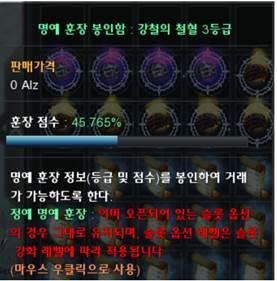
- Honor Medal Seal Chest allows saving the current progress of Honor Medal Elite Rank.
- After sealing the Honor Medal Elite Rank into Honor Medal Seal Chest, the amount of Elite Point will be refunded.
- Slots that were opened before can be unlocked again just by consuming Elite Point.
- Slot Status When Sealing an Elite Medal
- Slot with an assigned option
- The option icon is disabled.
- The slot cannot be used while the medal is sealed.
- Unlocked slot without an assigned option
- The slot remains unlocked.
- The red diagonal restriction is displayed, and the slot cannot be used.
- Locked slot
- Handled in the same way as a regular Honor Medal.
- The slot remains locked and cannot be used.
- Slot with an assigned option
- Elite Medal Unsealing / Slot Unlock Processing: When an Elite Medal is unsealed and reapplied:
- The Elite Points used to unlock the slots are refunded.
- The corresponding slots are returned to the Locked state, even if an option had previously been assigned.
- Slots that previously had options can be unlocked again by consuming only Elite Points.
c. Honor Medal Reset (Option Selective)
- Existing Honor Medal Reset (Option Selective) items can be used with Elite Medals.
- The usage method remains unchanged.
d. Honor Medal Slot Upgrade Seal Box
|
|
|
|
|---|---|---|
|
New item Honor Medal Slot Upgrade Seal Box |
Able to pick a specific category for sealing the slot upgrade state |
After sealing, the tooltip of the item is updated to reflect saved slot upgrade state |
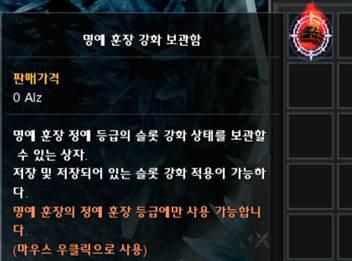
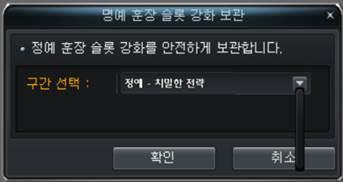
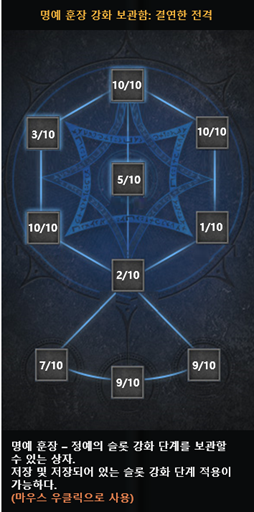
- New cash item for sealingthe upgrade state of Honor Medal Slot Upgrade in Elite Medal.
- Storing Slot Upgradestate
- Right-click the Honor Medal Slot Upgrade Seal Box.
- Select the Elite Medal category for which the slot upgrade state will be stored.
- The slot upgrade state of the selected category is saved to the item.
- Tooltip and Application
- When slot upgrade state is stored, the item's tooltip is updated to display the status of all slots in the selected category.
- When the item is applied, the stored slot upgrade state is applied exactly as recorded.
- Usage Restrictions
- Slot Unlock Requirement: All slots in the target category must be unlocked when using or applying the item.
- Slot Level Requirement: All slots in the target category must be at Level 1 when the slot upgrade state is applied.
XV. Chaos Upgrade - Ring
1. Chaos Enhancement - Ring
- You can apply Chaos Upgrade to some rings.
- The rings that can be Chaos Enhanced are as follows.
|
Group |
Item |
|---|---|
|
General |
Critical Ring +2 |
|
Critical Ring +3 |
|
|
Critical Ring +4 |
|
|
Critical Ring +5 |
|
|
Ring of Luck +2 |
|
|
Ring of Luck +3 |
|
|
Ring of Luck +4 |
|
|
Ring of Luck +5 |
|
|
Unique |
Mergaheph's Ring |
|
Tyrant's Ring |
|
|
Killian's Ring |
|
|
Tempus' Ring |
|
|
Awakened Tyrant's Ring |
|
|
Ring of Dr. Mazel |
|
|
Muddy Undead's Ring |
|
|
Hekaton's Ring |
|
|
Event |
Happy Birthday Ring |
|
Agent Yul's Ring |
- Just like existing accessories, you can apply Chaos Upgrade to a ring by using aChaos Converter.
- Rings with Chaos Upgrade cannot be used as quest materials.
- When using a Chaos Converter, upgrade is performed with a 100% success, and after that, player can continue upgrading using Chaos Cores.
- The success or failure of enhancement is determined by certain chance:
- If it is successful, Chaos Upgrade Level +1
- If it fails, the Chaos Enhancement is reset (Chaos Upgrade removal from the item)
- Before upgrade, player can use a Chaos Safeguard - Ring to prevent Chaos Upgrade from being reset in the case of upgrade failure.
- The Chaos Core consumption and enhancement probabilities for each enhancement stage are as follows .
|
Upgrade |
No. of Chaos Cores |
Success Rate |
Safeguard Required |
|---|---|---|---|
|
0 - 1 |
- |
100% |
- |
|
1 - 2 |
1 |
95% |
1 |
|
2 - 3 |
1 |
90% |
1 |
|
3 - 4 |
2 |
75% |
1 |
|
4 - 5 |
2 |
65% |
1 |
|
5 - 6 |
2 |
60% |
1 |
|
6 - 7 |
3 |
40% |
1 |
|
7 - 8 |
3 |
30% |
1 |
|
8 - 9 |
3 |
25% |
1 |
|
9 - 10 |
4 |
24% |
2 |
|
10 - 11 |
4 |
23% |
4 |
|
11 - 12 |
4 |
22% |
8 |
|
12 - 13 |
5 |
21% |
16 |
|
13 - 14 |
5 |
20% |
42 |
|
14 - 15 |
5 |
20% |
105 |
2. Chaos Upgrade Stats
- Different groups of Ring obtain stats differently when Chaos Upgrade level increases.
a. General Ring
|
Stats |
Chaos Upgrade Level | ||||||||||||||
|---|---|---|---|---|---|---|---|---|---|---|---|---|---|---|---|
|
1 |
2 |
3 |
4 |
5 |
6 |
7 |
8 |
9 |
10 |
11 |
12 |
13 |
14 |
15 |
|
|
Defense Rate |
15 |
30 |
45 |
60 |
75 |
90 |
105 |
120 |
135 |
150 |
165 |
180 |
195 |
210 |
225 |
|
Defense |
10 |
20 |
30 |
40 |
50 |
60 |
70 |
80 |
90 |
100 |
110 |
120 |
130 |
140 |
150 |
|
Evasion |
10 |
20 |
30 |
40 |
50 |
60 |
70 |
80 |
90 |
100 |
110 |
120 |
130 |
||
|
Ignore Penetration |
5 |
10 |
15 |
20 |
25 |
30 |
35 |
40 |
45 |
50 |
55 |
||||
|
DMG Reduce |
10 |
20 |
30 |
40 |
50 |
60 |
70 |
80 |
90 |
||||||
|
PvP Resist Crit. Rate |
4% |
8% |
12% |
16% |
20% |
24% |
28% |
||||||||
|
PvP Resist Skill Amp. |
4% |
6% |
8% |
10% |
12% |
14% |
|||||||||
|
Final DMG Reduce |
1% |
2% |
|||||||||||||
b. Unique Ring
|
Stats |
Chaos Upgrade Level | ||||||||||||||
|---|---|---|---|---|---|---|---|---|---|---|---|---|---|---|---|
|
1 |
2 |
3 |
4 |
5 |
6 |
7 |
8 |
9 |
10 |
11 |
12 |
13 |
14 |
15 |
|
|
All Attack Up |
10 |
15 |
20 |
25 |
30 |
35 |
40 |
45 |
50 |
55 |
60 |
65 |
70 |
75 |
80 |
|
Attack Rate |
15 |
30 |
45 |
60 |
75 |
90 |
105 |
120 |
135 |
150 |
165 |
180 |
195 |
210 |
225 |
|
Accuracy |
10 |
20 |
30 |
40 |
50 |
60 |
70 |
80 |
90 |
100 |
110 |
120 |
130 |
||
|
PvP Attack Rate |
10 |
20 |
30 |
40 |
50 |
60 |
70 |
80 |
90 |
100 |
110 |
120 |
|||
|
PvP Accuracy |
10 |
20 |
30 |
40 |
50 |
60 |
70 |
80 |
90 |
100 |
|||||
|
PvP Penetration |
5 |
10 |
15 |
20 |
25 |
30 |
35 |
40 |
50 |
||||||
|
Penetration |
5 |
10 |
15 |
20 |
25 |
30 |
35 |
||||||||
|
Ignore Resist Crit. DMG |
4% |
6% |
8% |
10% |
12% |
||||||||||
|
Ignore Resist Skill Amp. |
3% |
4% |
5% |
6% |
|||||||||||
|
Boss DMG Up |
1% |
2% |
|||||||||||||
c. Event Ring
|
Stats |
Chaos Upgrade Level | ||||||||||||||
|---|---|---|---|---|---|---|---|---|---|---|---|---|---|---|---|
|
1 |
2 |
3 |
4 |
5 |
6 |
7 |
8 |
9 |
10 |
11 |
12 |
13 |
14 |
15 |
|
|
PvE Attack Rate |
15 |
30 |
45 |
60 |
75 |
90 |
105 |
120 |
135 |
150 |
165 |
180 |
195 |
210 |
230 |
|
PvE Defense Rate |
15 |
30 |
45 |
60 |
75 |
90 |
105 |
120 |
135 |
150 |
165 |
180 |
195 |
210 |
230 |
|
PvE Defense |
30 |
40 |
50 |
60 |
70 |
80 |
90 |
100 |
110 |
120 |
130 |
140 |
150 |
||
|
PvE Ignore DMG Reduce |
5 |
10 |
15 |
20 |
25 |
30 |
35 |
40 |
45 |
50 |
55 |
60 |
|||
|
PvE All Attack Up |
40 |
45 |
50 |
55 |
60 |
65 |
70 |
75 |
80 |
85 |
90 |
||||
|
PvE DMG Reduce |
10 |
20 |
30 |
40 |
50 |
60 |
70 |
80 |
90 |
||||||
|
PvE Ignore Penetration |
20 |
25 |
30 |
35 |
40 |
45 |
50 |
60 |
|||||||
|
PvE Penetration |
20 |
25 |
30 |
35 |
40 |
45 |
50 |
||||||||
|
PvE Crit. DMG |
5% |
7% |
9% |
11% |
14% |
||||||||||
|
PvE All Skill Amp. |
4% |
6% |
8% |
||||||||||||
3. Chaos Safeguard - Ring Request Added
- Added new Request for Chaos Safeguard - Ring to request list of NPC Chloe - Port Lux
|
Request |
Required Amity |
Registration Fee |
Materials |
Success Rate |
|---|---|---|---|---|
|
Chaos Safeguard - Ring |
5500 |
50,000,000 Alz |
Chaos Core x100 |
100% |
|
Essence of Chaos Guardian (Ring) x1 |
4. Seal Chaos Upgrade for Ring
- The same concept of sealing and applying Chaos Seal Stone seal is available for Ring.
- Sealing Ring created a Chaos Seal Stone for a specific group for Ring.
- Applying a Chaos Seal Stone is doable only if the target item matches the Group of the Chaos Seal Stone.
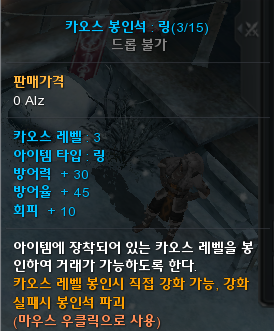
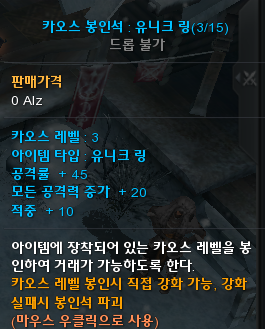
XVI. Karma Runes
1. New Rune Slot Extender - Karma
- Available at NPC Rune Agent - Flasha
- Price: 10,000,000 Alz + Karma Rune Exchange Ticket x300
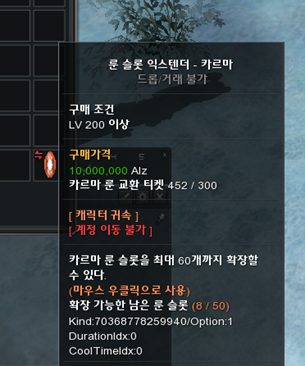
2. New Karma Rune
|
Karma Rune |
Price | |
|---|---|---|
|
Alz |
Karma Rune Exchange Ticket |
|
|
PvE All Skill Amp. |
9,000,000 |
300 |
|
PvP All Skill Amp. |
9,000,000 |
300 |
|
PvE Defense |
1,200,000 |
40 |
|
PvP Defense |
1,200,000 |
40 |
|
PvE Accuracy |
1,800,000 |
60 |
|
PvP Accuracy |
1,800,000 |
60 |
|
PvE Ignore Accuracy |
1,650,000 |
55 |
|
PvP Ignore Accuracy |
1,650,000 |
55 |
a. PvE All Skill Amp.
|
Level |
Level Up Cost |
Stats | |
|---|---|---|---|
|
AP |
Karma Rune |
||
|
1 |
700 |
0 |
1% |
|
2 |
700 |
5 |
2% |
|
3 |
700 |
7 |
3% |
|
4 |
1200 |
9 |
4% |
|
5 |
2200 |
11 |
5% |
b. PvP All Skill Amp.
|
Level |
Level Up Cost |
Stats | |
|---|---|---|---|
|
AP |
Karma Rune |
||
|
1 |
700 |
0 |
1% |
|
2 |
700 |
5 |
2% |
|
3 |
700 |
7 |
3% |
|
4 |
1200 |
9 |
4% |
|
5 |
2200 |
11 |
5% |
c. PvE Defense
|
Level |
Level Up Cost |
Stats | |
|---|---|---|---|
|
AP |
Karma Rune |
||
|
1 |
500 |
0 |
3 |
|
2 |
500 |
2 |
6 |
|
3 |
500 |
3 |
9 |
|
4 |
500 |
4 |
12 |
|
5 |
500 |
5 |
15 |
|
6 |
600 |
9 |
18 |
|
7 |
600 |
10 |
21 |
|
8 |
600 |
11 |
24 |
|
9 |
600 |
12 |
27 |
|
10 |
600 |
13 |
30 |
|
11 |
700 |
14 |
33 |
|
12 |
700 |
15 |
36 |
|
13 |
700 |
16 |
39 |
|
14 |
700 |
17 |
42 |
|
15 |
700 |
18 |
45 |
d. PvP Defense
|
Level |
Level Up Cost |
Stats | |
|---|---|---|---|
|
AP |
Karma Rune |
||
|
1 |
500 |
0 |
3 |
|
2 |
500 |
2 |
6 |
|
3 |
500 |
3 |
9 |
|
4 |
500 |
4 |
12 |
|
5 |
500 |
5 |
15 |
|
6 |
600 |
9 |
18 |
|
7 |
600 |
10 |
21 |
|
8 |
600 |
11 |
24 |
|
9 |
600 |
12 |
27 |
|
10 |
600 |
13 |
30 |
|
11 |
700 |
14 |
33 |
|
12 |
700 |
15 |
36 |
|
13 |
700 |
16 |
39 |
|
14 |
700 |
17 |
42 |
|
15 |
700 |
18 |
45 |
e. PvE Accuracy
|
Level |
Level Up Cost |
Stats | |
|---|---|---|---|
|
AP |
Karma Rune |
||
|
1 |
600 |
0 |
20 |
|
2 |
600 |
2 |
40 |
|
3 |
600 |
3 |
60 |
|
4 |
600 |
6 |
80 |
|
5 |
600 |
7 |
100 |
|
6 |
700 |
8 |
120 |
|
7 |
700 |
9 |
140 |
|
8 |
700 |
10 |
160 |
|
9 |
700 |
11 |
180 |
|
10 |
700 |
12 |
200 |
f. PvP Accuracy
|
Level |
Level Up Cost |
Stats | |
|---|---|---|---|
|
AP |
Karma Rune |
||
|
1 |
600 |
0 |
20 |
|
2 |
600 |
2 |
40 |
|
3 |
600 |
3 |
60 |
|
4 |
600 |
6 |
80 |
|
5 |
600 |
7 |
100 |
|
6 |
700 |
8 |
120 |
|
7 |
700 |
9 |
140 |
|
8 |
700 |
10 |
160 |
|
9 |
700 |
11 |
180 |
|
10 |
700 |
12 |
200 |
g. PvE Ignore Accuracy
|
Level |
Level Up Cost |
Stats | |
|---|---|---|---|
|
AP |
Karma Rune |
||
|
1 |
600 |
0 |
20 |
|
2 |
600 |
2 |
40 |
|
3 |
600 |
3 |
60 |
|
4 |
600 |
6 |
80 |
|
5 |
600 |
7 |
100 |
|
6 |
700 |
8 |
120 |
|
7 |
700 |
9 |
140 |
|
8 |
700 |
10 |
160 |
|
9 |
700 |
11 |
180 |
|
10 |
700 |
12 |
200 |
h. PvP Ignore Accuracy
|
Level |
Level Up Cost |
Stats | |
|---|---|---|---|
|
AP |
Karma Rune |
||
|
1 |
600 |
0 |
20 |
|
2 |
600 |
2 |
40 |
|
3 |
600 |
3 |
60 |
|
4 |
600 |
6 |
80 |
|
5 |
600 |
7 |
100 |
|
6 |
700 |
8 |
120 |
|
7 |
700 |
9 |
140 |
|
8 |
700 |
10 |
160 |
|
9 |
700 |
11 |
180 |
|
10 |
700 |
12 |
200 |
XVII. Battle Mode 3 Auto Combo
1. Overview
- Battle Mode 3 Combo Settings
- Battle Mode 3 Combo Settings feature is added to reduce fatigue caused by repetitive gameplay.
- Synergy Support
- This feature allows Battle Mode 3 synergies to be applied immediately, lowering the barrier to using synergy combinations.
2. Battle Mode 3 Icons
- Dedicated Battle Style Icons are added.
- These icons are used for:
- Quick Access buttons for the Battle Mode 3 Combo Settings UI
- Battle Mode 3 Extreme Combo skill icons
|
Battle Style |
Battle Mode 3 Icon |
Extreme Combo Skill | |
|---|---|---|---|
|
WA |
Warrior |
|
Warrior Extreme Combo Skill |
|
BL |
Blader |
|
Blader Extreme Combo Skill |
|
WI |
Wizard |
|
Wizard Extreme Combo Skill |
|
FA |
Force Archer |
|
Force Archer Extreme Combo Skill |
|
FS |
Force Shielder |
|
Force Shield Extreme Combo Skill |
|
FB |
Force Blader |
|
Force Blader Extreme Combo Skill |
|
FG |
Force Gunner |
|
Force Gunner Extreme Combo Skill |
|
GL |
Gladiator |
|
Gladiator Extreme Combo Skill |
|
DM |
Dark Mage |
|
Dark Mage Extreme Combo Skill |


3. Accessing the UI
a. Access Restrictions
- The Battle Mode 3 Combo SettingsUI can only be accessed through the following:
- Quick Access Button (top-right of the screen)
- Skill Window
- These access points are not displayed for characters who have not acquired Battle Mode 3.
b. Quick Acess Button
- The Battle Mode 3 Auto Combo Quick Access Button is located to the right of the Pet Dispatch related buffs.

- Clicking the button opens the Battle Mode 3 Combo Settings UI.
- The tooltip displayed on the button changes depending on whether the required benefits are active.
|
|
|
|---|---|
|
Benefits Applied |
Benefits Not Applied |
|
The tooltip is displayed when at least one of the following benefits is active: Blessing Bead - Platinum Wing Blessing Bead - Plus Blessing Bead - Superior PC Bang Premium Benefits |
The tooltip indicates that the required benefits are not active: Blessing Bead - Platinum Wing Blessing Bead - Plus Blessing Bead - Superior PC Bang Premium Benefits |
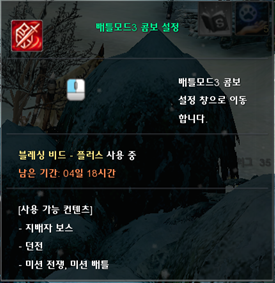
c. Skill Window
- The Battle Mode 3 Combo Settings UI can also be accessed through:
- Skill Window > Special > Battle Mode Skill > Battle Mode 3
- Battle Mode Skillsare divided into:
- Battle Mode 2
- Battle Mode 3
- A Battle Mode 3 Combo Settings button is added to the right of the Battle Mode 3 entry.
- This button is always displayed regardless of whether the required benefits are active.
- The Extreme Combo skills for each Battle Style are included under Battle Mode 3.
- Battle Mode Skillsare divided into:
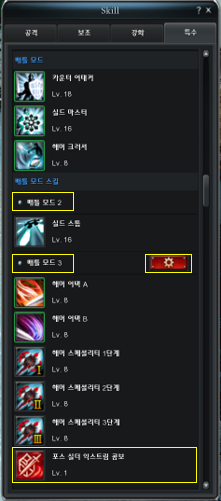
d. Battle Mode 3 Combo Settings UI
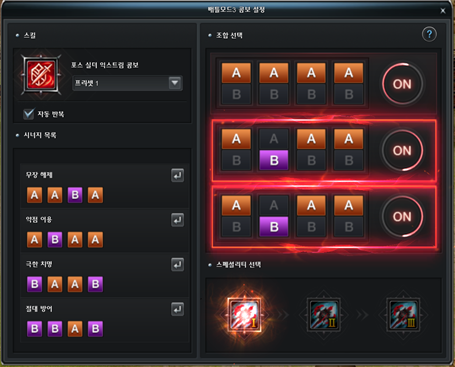
- Overview
- The Battle Mode 3 Combo Settings UI allows players to configure a combo cycle that is automatically performed while using Battle Mode 3.
- Combo cycle presets can be configured using A, B, and Specialty Level 1, 2, and 3 skills.
- Combination Settings
- Up to four A/B skills can be selected for a single combination.
- A combination is automatically activated once all four A/B skills have been selected.
- The combination can be activated or deactivated using the ON/OFF button.
- Combination Types:There are two types of combinations:
|
|
|
|---|---|
|
Normal Combination |
Synergy Combination |
|
A combination that does not correspond to an entry in the Synergy List. |
A combination that corresponds to an entry in the Synergy List. Special effects will be shown in the UI. |
4. Fatal Skill
- Fatal Skillscan be activated or deactivated regardless of whether a combination has been selected.
- However, a Fatal Skill cannot be used if there is no active combination skill, because the required pre-combination condition has not been met.
- When a Fatal Skill is activated, special effect will be shown in the UI.
- If the character has not acquired Fatal Stage 2 or 3, an Unacquired Skill icon is displayed.
5. Presets
- Up to 5 presets can be saved.
- Preset Selection
- The active preset can be changed in the following ways:
- Select a preset from the drop-down list in the Battle Mode 3 Combo Settings UI.
- Change the preset through the Combined Preset after configuring a Battle Mode 3 Combo preset.
- Automatic Saving
- When a combination or Specialty Skill is selected, the current preset is saved immediately.
6. Extreme Combo
- The configured combo cycle is executed using the Extreme Combotrigger skill.
- If an A, B, or Specialty Skill is used while an Extreme Combo is in progress, the combo cycle is reset and the Extreme Combo cooldown begins.
- The cooldown is 0.5 seconds.
- Extreme Combo Tooltip
- The Extreme Combo tooltip displays where current player’s Durational Services support the special benefits of Extreme Combo or not
- Showing the Applicable situation: World Ruler Boss, Field, Dungeon
|
Extreme Combo Available |
Synergy Available |
Extreme Combo Available |
Synergy Available |
Extreme Combo Available |
Synergy Available |
|---|---|---|---|---|---|
|
V |
V |
V |
X |
X |
X |
|
|
|
|
|||
- In certain Blessing Beads, the additional benefits will be displayed
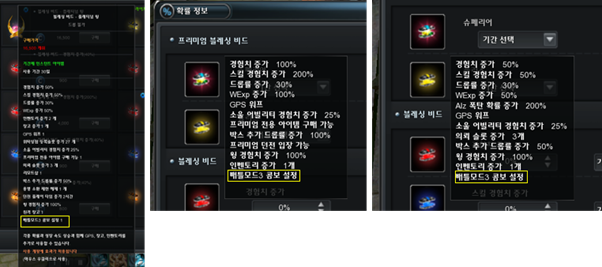
7. Auto Repeat
- When Auto Repeat is enabled, the configured combo cycle is repeated continuously until it can no longer be used.
- Conditions that Terminatethe Combo. The combo cycle becomes unavailable under conditions such as:
- Insufficient Mana
- Silence
- Obstacle / Targeting obstruction
- Attack cancellation
- Other applicable conditions
- When Auto Repeat is disabled, the configured combo cycle is performed only once.
- Auto Repeat isenabledbydefault.
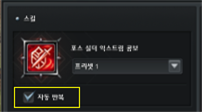
XVIII. Battle Mode 3 Costumes Customization
1. Overview
- Battle Mode 3 Costume Presets
- Players can create costume presets to be applied while transformed into Battle Mode 3.
- Applicable for Hat / Cloth / Wing only.
- Mixed Appearance
- Battle Mode 3 appearances can be combined with equipped costume appearances.
- Costume UI Improvements
- Several convenience features have been added to the Costume UI to improve usability.
2. Options UI
- Battle Mode 3 Preset Option
- The existing Options > Display > General > Disable Battle Mode 3 Helmet / Armor Displayoption has been changed.
- The option is renamed to Use Battle Mode 3 Preset.
- The default value of the option is changed to Enabled.
- The existing Options > Display > General > Disable Battle Mode 3 Helmet / Armor Displayoption has been changed.
3. Costume UI
a. Normal Mode / Battle Mode 3 Toggle
- A toggle button has been added to switch between the Normal Mode Costume UI and Battle Mode 3 Costume UI.
- Clicking the toggle switches the UI between Normal Mode and Battle Mode 3.
|
Normal Mode Costume UI |
Battle Mode 3 Costume UI |
|---|---|
|
|
|
|
Click to switch to Battle Mode 3 |
Switch to Normal Mode on click |
b. Battle Mode 3 Costume UI
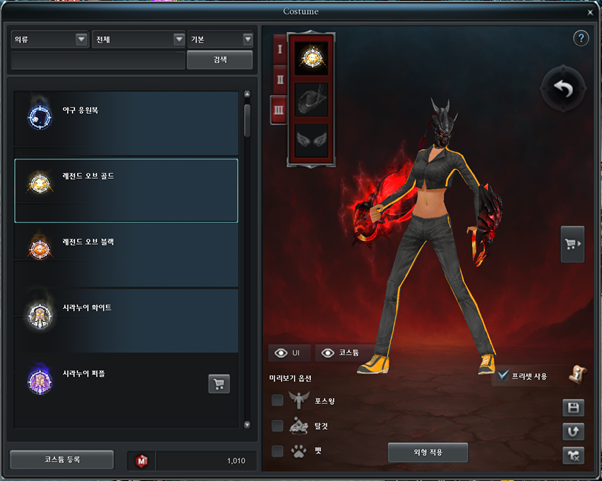
- When viewing the Costume UI in Battle Mode 3:
- The character preview and default idle pose are changed to their Battle Mode 3 versions.
- The following costume slots can be equipped:
- Clothing
- Head / Face / Hat
- Force Wing
- Only costumes corresponding to the selected equipment slot can be selected from the costume list on the left.
c. Use Battle Mode 3 Preset
- The character preview changes depending on whether Use Preset is enabled.
- WhenUse Preset is Enabled
- The equipped costume appearance is applied.
- If no costume is equipped, the default Battle Mode 3 appearance is applied.
- WhenUse Presetis Disabled
- The character's Normal Mode appearance is applied.
- The Battle Mode 3 weapon appearance is retained.
|
Normal Mode appearance |
Battle Mode 3 |
Battle Mode 3 |
|---|---|---|
|
|
|
|
|
Use Preset |
Use Preset |
|
|
V |
X |
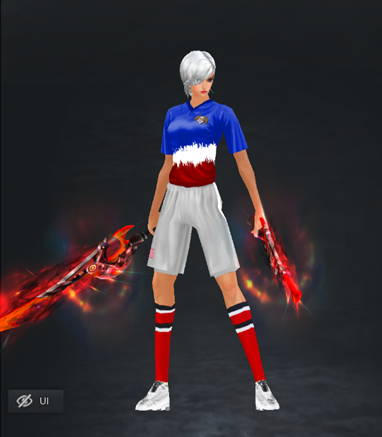
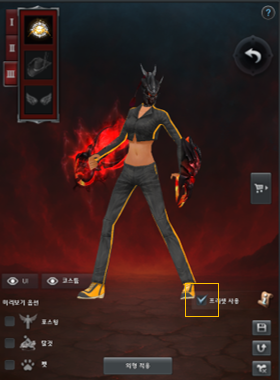
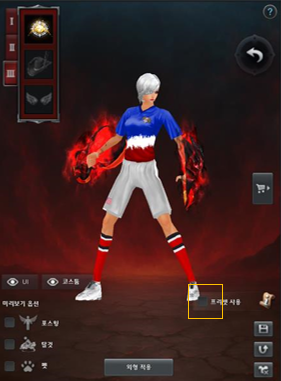
XIX. Costume UI Improvements
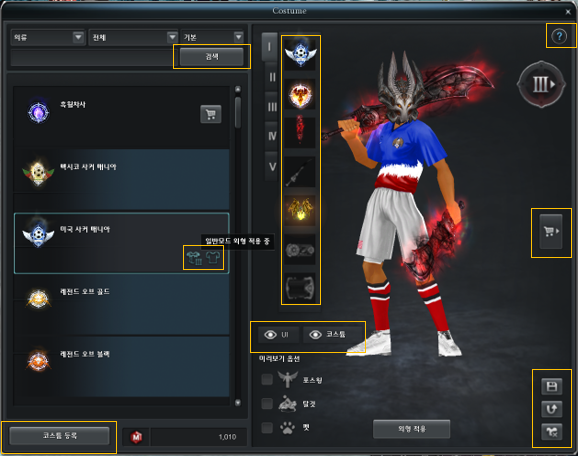
1. Search
- A Searchbutton is added.
- The search function can be executed by pressing Enter or clicking Search.
2. Equipped Status Indicator
- An icon is added to indicate whether a costume is currently equipped.
- The indicator distinguishes between:
|
Currently equipped in Normal Mode |
Currently equipped in Battle Mode 3 |
|---|---|
|
|
|


3. Register Costume Button
- The Register Costume button is moved to the bottom-left corner.
- Previously, the button was located where the [Search] button was positioned.
- If the character owns a costume that can be registered, a red notification dot is displayed in the upper-right corner of the [Register Costume] button.
4. Costume Slot Navigation
- Clicking a costume slot now automatically moves to the corresponding costume category in the costume list.
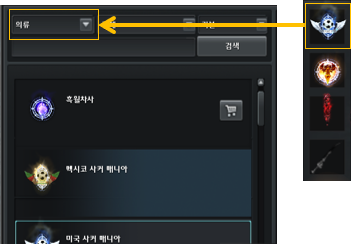
5. Preview Controls
- Hide / Show UI
- Hide UI and Show UI buttons are added.
- When the UI is hidden, all interactive buttons disappear except [Show UI].
- A camera movement guide is displayed in the bottom-left corner after the UI is hidden.
|
Hide UI |
Show UI |
|---|---|
|
|
|
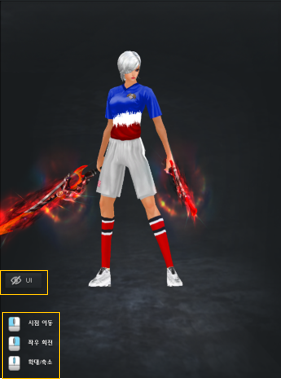
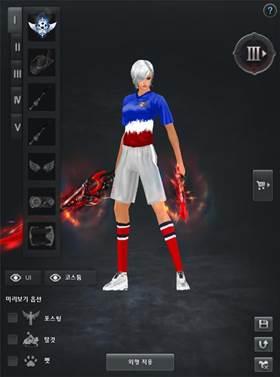
- Hide / Show Costumes
- Hide Costumes and Show Costumes buttons are added.
- When costumes are hidden, the preview character changes to the default appearance.
- The equipped state of all costumes is maintained.
|
Hide Costume |
View Costumes |
|---|---|
|
|
|
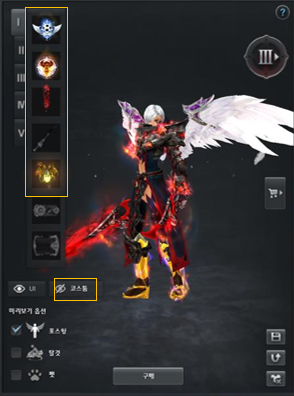
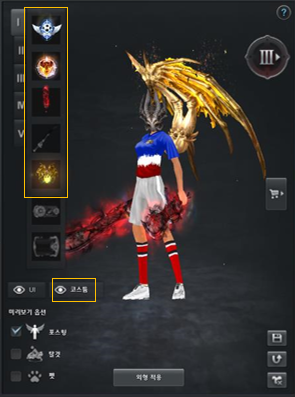
6. Cart UI
- The Cart button icons are redesigned to better communicate its function.
|
Old |
New | ||
|---|---|---|---|
|
Open Cart |
Close Cart |
Open Cart |
Close Cart |
|
|
|
|
|


7. Costume Presets
- A Select Save Preset button is added to allow players to save the current costume configuration to a preset.
|
Select Save Preset button | |
|---|---|
|
|
|
|
Normal Mode |
Battle Mode 3 |
|
|
|
|
5 preset slots |
3 preset slots |

- Clicking a preset slot saves the character's currently equipped costume configuration to the corresponding preset number.
8. Remove All
- A Remove All button is added.
- Clicking the button unequips all costumes currently equipped by the character.
XX. Other Changes
1. Disable the use of Unbinding Stones for specific items
- Target Unbinding Stones:
- Minesta's Unbinding Stone (All Types) (Medium)
- Minesta's Unbinding Stone (All Types) (High)
- Minesta's Unbinding Stone (All Types) (Highest)
- Sirius' Unbinding Stone (All Types) (High)
- Sirius' Unbinding Stone (All Types) (Highest)
- Prideus' Unbinding Stone
- Siena's Unbinding Stone
- Drosnin's Unbinding Stone
- Orphidia's Unbinding Stone
- Laxar's Unbinding Stone
- Target Items:
- Items with Cannot Transfer between Accounts property.
- Items with Cannot Store in Warehouse property.
- Items from Newbie Support system.
2. Disable the use of Account Bind Seal / Unseal Stones for specific items
- Target Unbinding Stones:
- Weapon Account bind Seal Stone
- Armor Account bind Seal Stone
- Bike Account bind Seal Stone
- Weapon Account bind Unseal Stone
- Weapon Account bind Unseal Stone
- Bike Account bind Unseal Stone
- Target Items:
- Items with Cannot Transfer between Accounts property.
- Items with Cannot Store in Warehouse property.
3. Change Social Action Description of some items
- Affected items / social actions
|
Item |
Current Explanation |
Updated Explanation | |
|---|---|---|---|
|
|
Vital Gear (Lv. 1) |
Use Vital Gear (Lv. 1) |
Use Vital Gear (Lv. 1). Recover 5,000 HP. |
|
|
Vital Gear (Lv. 2) |
Use Vital Gear (Lv. 2) |
Use Vital Gear (Lv. 2). Recover 8,000 HP. |
|
|
Vital Gear (Lv. 3) |
Use Vital Gear (Lv. 3) |
Use Vital Gear (Lv. 3). Recover 15,000 HP. |
|
|
MP Potion (Lv. 1) |
Use MP Potion (Lv. 1) |
Use MP Potion (Lv. 1). Recover 90 MP. |
|
|
MP Potion (Lv. 2) |
Use MP Potion (Lv. 2) |
Use MP Potion (Lv. 2). Recover 350 MP. |
|
|
MP Potion (Lv. 4) |
Use MP Potion (Lv. 4) |
Use MP Potion (Lv. 4). Recover 1,000 MP. |


4. Update Skin Tone for Face / Clothing Costume
- Targets: Female Face Costumes and Clothing Costumes
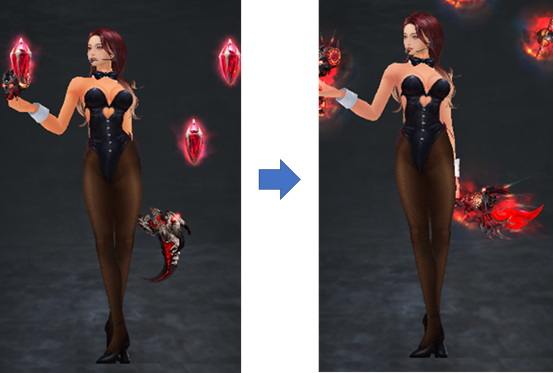
Female Costume Skin Tone Correction
5. Change of Infinite Ordeals rewards
- Existing: Title is granted to all characters in the same account that has the eligible character for ranking rewards.
- Change: Title is granted to only eligible character for ranking rewards.
6. Optimize UI Elements and Icons under HP Gauge Bar Area
- UI Elements:
- HP Bars of Characters which is Guild Representative and not (difference is the BP Gauge).
- Myth Level Icon alignment is standardized.
- Remove the abnormal border of Combined Presets 1-5.
- Pilgrim Icons.
- Overlord Icon.
- Preview:
|
|
|
|---|---|
|
Before |
After |
|
|
|
|
Character without BP Gauge |
Character with BP Gauge |

7. Identical Debuff Prevention
a. Overview
- During PVP
- From the moment your character is afflicted with a debuff effect, grants you immunity to the same debuff effect for the duration of the debuff effect + 2 seconds .
- In this case, the duration refers to the actual time the debuff effect lasts.
- For example:
- In the case of stun, the original duration is 4s, but in PVP it is 2s.
- Therefore, the duration of immunity granted by PVP stun is 4s (duration 2s + 2s).
- For example:
- When in an immune state, only the corresponding debuff effect is nullified, and other debuff effects are applied normally.
- During PVE
- Immunity to the same debuff applies only in PVP.
- Your character is NOT immune to monster attacks with debuff effect.
b. Details
|
New Debuff Effect Icons |
|
|
|
| |
|---|---|---|---|---|---|
|
Immobilized |
Target Lock |
Skill Target Count Reduction |
Reduce Movement Speed |
||
|
The size of the existing buff / debuff icons generated at the top of the health bar above the character's head has been modified |
Monster Buff / Debuff Icons |
|
|||
|
Force Tower Buff / Debuff Icons |
|
||||
|
Debuff icon has been added to the top of the health bar above the character's head to explain the current debuff effect |
|
||||
|
When a debuff effect is applied, the RED border will be shown |
|
||||
|
When a debuff effect is immune, the BLUE border will be shown |
|
||||
|
Game generates an Immune text to represent if character is under the identical debuff prevention duration and received debuff effect that is currently immune. |
|
||||







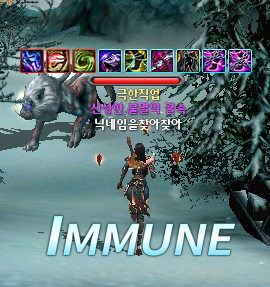
c. PVE Immunity Rules
- Identical Debuff Prevention does NOT apply for PvE attack.
- Immunity to the same debuff applies only in PVP.
- Your character is NOT immune to monster attacks with debuff effect.
8. Battle Mode 3 Appearance
- Because the Battle Mode 3 Helmet and Armor can now be equipped separately, the Battle Mode 3appearance has been partially modified.
- Neck area added to cover full of the head, so that it can match with any other body costume.
- Body armour is updated to ready to match with any other head costume.
- Examples:
|
Before |
After |
|---|---|
|
|
|
|
|
|
|
|
|
9. Combined Preset
- Battle Mode 3 is added to the Combined Preset options.
- If the character transforms into Battle Mode 3 while using a costume preset, changing the Combined Preset will also change the Battle Mode 3 costume configuration.